


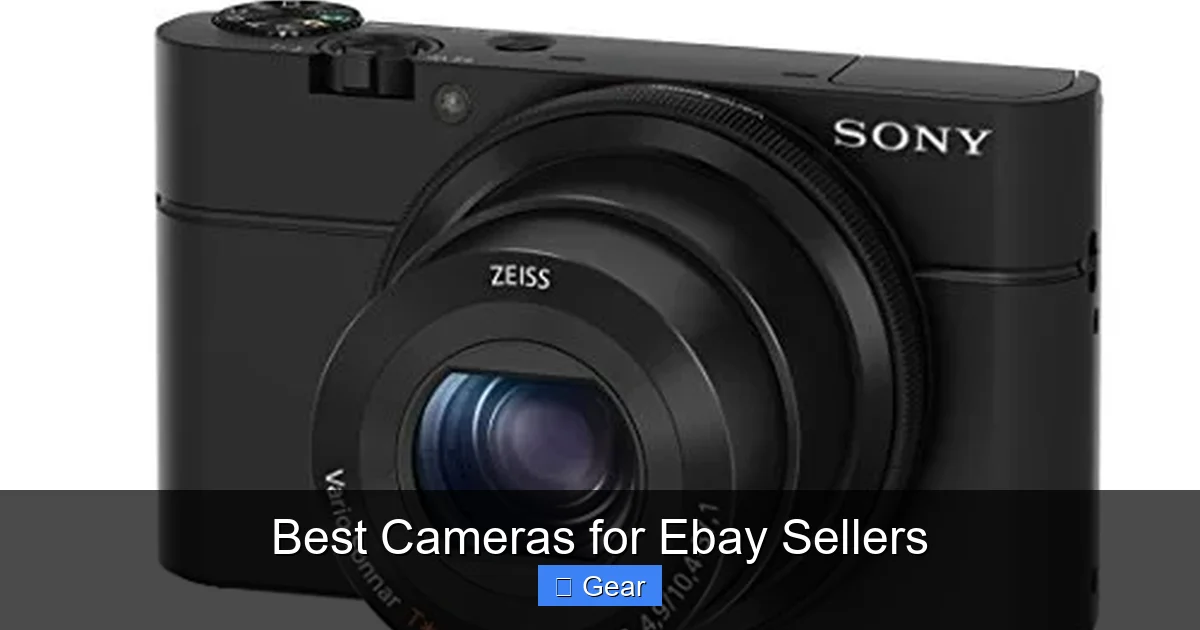
When it comes to selling on eBay, high-quality product photos are non-negotiable. They build trust, increase buyer engagement, and ultimately drive sales. This comprehensive guide will help you understand the importance of great photography, explore the best camera options for eBay sellers—from advanced smartphones to professional DSLRs—and equip you with essential tips and accessories to capture stunning images that make your items irresistible. Invest in your visuals, and watch your sales soar!
Best Cameras for Ebay Sellers
Are you an eBay seller looking to take your listings from “okay” to “absolutely irresistible”? If so, you’ve landed in the right place. In the bustling marketplace of eBay, where thousands of items compete for attention, your product photos aren’t just an accessory—they’re your primary salesperson. They’re the first, and often only, thing that convinces a potential buyer to click, consider, and ultimately purchase.
Think about it: when you shop online, what makes you stop scrolling? It’s usually a captivating image that clearly displays the item, its condition, and its unique features. Poorly lit, blurry, or inconsistent photos can lead to a quick scroll-past, even for a fantastic product. That’s why investing in the right equipment and understanding some basic photography principles is one of the smartest moves any eBay seller can make. This guide will walk you through everything you need to know about finding the best cameras for eBay sellers, along with essential tips to make your products shine.
So, whether you’re just starting out with a few items or running a full-fledged eBay business, improving your product photography is a game-changer. It builds trust with your buyers, reduces returns due to misrepresentation, and can even justify a higher selling price. Let’s dive into how you can arm yourself with the right camera and techniques to capture stunning images that drive sales and establish your presence as a top-notch eBay seller.
Key Takeaways
- Photography is Crucial for Sales: High-quality, well-lit photos directly impact buyer trust, perceived value, and the likelihood of a successful sale on eBay.
- You Don’t Always Need a Pro Camera: While advanced cameras offer benefits, modern smartphones and entry-level mirrorless cameras can produce excellent results with the right techniques.
- Lighting is Your Best Friend: Proper lighting, whether natural or artificial, is often more important than the camera itself for clear, accurate product representation.
- Essential Accessories Make a Difference: A tripod for stability, a simple background, and a light tent can significantly elevate your product photography, regardless of your camera choice.
- Learn Basic Manual Controls: Understanding aperture, shutter speed, and ISO can give you greater creative control and lead to more professional-looking images.
- Post-Production is Part of the Process: Basic editing like cropping, adjusting white balance, and exposure can dramatically improve your photos before uploading them to eBay.
- Consistency Builds Brand: Maintaining a consistent photographic style across all your listings helps establish a professional presence and makes your store more appealing.
Quick Answers to Common Questions
Do I really need a fancy camera for eBay?
Not necessarily! While professional cameras offer more control, modern smartphones are often powerful enough for excellent eBay product photos, especially when paired with good lighting and technique.
Can my smartphone be enough for eBay photos?
Absolutely, yes. Current generation smartphones have advanced cameras that can produce very high-quality images. The key is to use good lighting, a stable position (like a tripod), and simple editing.
What’s the most important accessory for eBay product photography?
While a tripod is crucial for sharpness, the single most important “accessory” is good lighting. Proper illumination can make even a basic camera produce stunning results, whereas poor lighting will make any camera struggle.
How many megapixels do I need for eBay photos?
For eBay, 12-24 megapixels is perfectly adequate. This provides enough detail for high-resolution viewing and cropping without creating unnecessarily large file sizes.
Should I use natural or artificial light for my eBay photos?
Both can work well. Natural light from a window (indirect) is often the easiest and most flattering. However, artificial softbox lighting offers consistency and control, making it ideal for sellers who photograph items at different times or in varying weather conditions.
📑 Table of Contents
- Why High-Quality Product Photography is Non-Negotiable on eBay
- Understanding Your Camera Options: From Smartphones to DSLRs
- Key Camera Features for eBay Sellers
- Beyond the Camera: Essential Accessories & Techniques
- Top Camera Recommendations for Different Budgets and Needs
- Maximizing Your Camera’s Potential: Post-Production & Best Practices
- Conclusion
Why High-Quality Product Photography is Non-Negotiable on eBay
Before we talk about specific cameras, let’s firmly establish why great photos are paramount to your success on eBay. It’s not just about aesthetics; it’s about pure business impact.
First Impressions are Everything
In the digital realm, a buyer’s first impression is formed in milliseconds. A crisp, well-composed image immediately conveys professionalism and attention to detail. Conversely, a dark, fuzzy picture suggests carelessness, making buyers question the quality of the item itself, even if it’s pristine. Your photos are your digital storefront, and you want it to look inviting!
Building Trust and Credibility
Buyers can’t physically inspect your item. They rely solely on your description and, most importantly, your photos to understand what they’re getting. Clear, detailed images from multiple angles build immense trust. They show transparency, prove the item’s condition, and assure the buyer that you’re an honest seller. This trust translates directly into more sales and positive feedback.
Reducing Returns and Disputes
One of the biggest headaches for any eBay seller is dealing with returns. Blurry or misleading photos are a common culprit. When images accurately depict the item’s color, texture, size, and any imperfections, buyers know exactly what to expect. This drastically reduces “item not as described” claims, saving you time, money, and stress.
Standing Out from the Competition
On eBay, you’re constantly competing with other sellers offering similar products. If your competitor has generic, uninspired photos and you have vibrant, professionally shot images, whose listing do you think will get the click? High-quality photography is a powerful differentiator that helps your items grab attention and get noticed amidst the noise. It also makes your product look more appealing than a similar one with poor photos, potentially allowing you to command a higher price.
Understanding Your Camera Options: From Smartphones to DSLRs
When it comes to choosing the best cameras for eBay sellers, there’s a wide spectrum of options, each with its own advantages and ideal use cases. Let’s break down the main categories so you can determine what best fits your needs and budget.
Smartphones: The Everyday Powerhouse
Most people already own a smartphone, and modern phones like the latest iPhone Pro models, Google Pixels, or Samsung Galaxy phones boast incredible camera technology. For many eBay sellers, especially those just starting out or selling a small volume of items, a smartphone camera can be more than sufficient.
Visual guide about Best Cameras for Ebay Sellers
Image source: cameragurus.com
- Pros: Extremely convenient, always with you, excellent image processing, often feature multiple lenses (wide, telephoto, macro), easy sharing/uploading. The best cameras for eBay sellers on a tight budget are often in their pocket.
- Cons: Limited manual control compared to dedicated cameras, smaller sensors can struggle in very low light, less optical zoom (often digital, which degrades quality), fixed lenses mean less versatility.
- Best for: Small-volume sellers, beginners, items that don’t require extreme detail or macro shots, quick listings.
Point-and-Shoot Cameras: Stepping Up in Simplicity
These compact digital cameras offer a step up from basic smartphone photography without the complexity of interchangeable lenses. Some advanced point-and-shoots (like the Sony RX100 series or Canon PowerShot G-series) have larger sensors and better manual controls.
- Pros: Generally better optical zoom than smartphones, often have larger sensors for improved image quality, dedicated physical buttons for settings, more affordable than mirrorless/DSLRs.
- Cons: Still limited manual control on entry-level models, smaller sensors than DSLRs/Mirrorless, fixed lenses, can feel a bit redundant if you have a high-end smartphone.
- Best for: Sellers who want better zoom and image quality than a smartphone but prefer simplicity over interchangeable lenses.
Mirrorless Cameras: The Modern Hybrid
Mirrorless cameras are increasingly popular and often considered some of the best cameras for eBay sellers seeking professional quality in a more compact form factor. They offer interchangeable lenses, large sensors (APS-C or full-frame), and advanced features without the internal mirror mechanism of a DSLR.
- Pros: Excellent image quality, interchangeable lenses for versatility (macro, wide, telephoto), often smaller and lighter than DSLRs, advanced autofocus and video capabilities, good manual control.
- Cons: Can be more expensive than point-and-shoots, a wider range of accessories (lenses, flashes) can add to the cost.
- Best for: Serious eBay sellers, those selling higher-value items, anyone wanting professional results with more portability than a DSLR. Brands like Sony (Alpha series), Fujifilm, and Canon (EOS R series) offer great options.
DSLR Cameras: The Traditional Professional Choice
Digital Single-Lens Reflex (DSLR) cameras have long been the gold standard for professional photography. They feature large sensors (APS-C or full-frame), optical viewfinders, and an extensive range of interchangeable lenses and accessories.
- Pros: Superb image quality, excellent low-light performance, vast selection of lenses and accessories, robust build, comprehensive manual controls. Often considered among the best cameras for eBay sellers who are serious about photography.
- Cons: Tend to be larger and heavier, a steeper learning curve for beginners, generally the most expensive option, especially when factoring in lenses.
- Best for: High-volume professional sellers, those selling very high-value items, photographers who also use their camera for other purposes, anyone prioritizing ultimate image quality and versatility. Canon (Rebel/EOS series) and Nikon (D series) are dominant players.
Key Camera Features for eBay Sellers
Regardless of the camera type you choose, certain features are particularly beneficial for product photography on eBay. Keep these in mind as you compare options for the best cameras for eBay sellers.
Megapixels: Enough is Enough
Don’t get caught in the megapixels war. For eBay, 12-24 megapixels is more than sufficient. This provides plenty of detail for online viewing and allows for cropping without significant loss of quality. What matters more than raw megapixels is the quality of the sensor and lens.
Manual Controls (Aperture, Shutter Speed, ISO)
Being able to manually adjust aperture (for depth of field), shutter speed (for brightness and motion blur), and ISO (for light sensitivity) gives you immense control over your photos. This is crucial for achieving consistent, professional-looking results, especially when dealing with varying lighting conditions. Look for cameras that offer a “manual mode” (M) or “aperture priority” (Av/A) and “shutter priority” (Tv/S) modes.
Low-Light Performance
Good low-light performance means your camera can capture clear, noise-free images even when natural light is scarce. This is largely determined by sensor size and the camera’s ability to handle higher ISO settings. A camera that performs well in low light gives you more flexibility and can reduce reliance on complex lighting setups.
Macro Capabilities for Detail Shots
If you sell small items like jewelry, coins, or collectibles, macro photography is essential. Look for a camera that can focus very closely on subjects, or consider a dedicated macro lens for mirrorless/DSLR cameras. This allows you to highlight intricate details and any unique features or flaws.
Image Stabilization
Whether it’s in-camera (sensor-shift) or in-lens (optical), image stabilization helps reduce blur caused by camera shake, especially in lower light or when shooting handheld. This results in sharper images, which are critical for showing product detail.
Connectivity (Wi-Fi, Bluetooth)
Many modern cameras offer Wi-Fi or Bluetooth connectivity, allowing you to quickly transfer photos to your smartphone or computer for editing and uploading. This streamlines your workflow and saves valuable time.
Beyond the Camera: Essential Accessories & Techniques
Even the best cameras for eBay sellers won’t produce amazing results in a vacuum. The magic often happens with the right accessories and techniques.
Lighting: Your Most Powerful Tool
This cannot be stressed enough: good lighting is more important than an expensive camera.
- Natural Light: The easiest and often best light source. Position your item near a large window, but out of direct sunlight to avoid harsh shadows. Use a white foam board or reflector to bounce light back onto the item and fill in shadows.
- Artificial Light: If natural light isn’t consistent, invest in a simple lighting setup. Two softbox lights (CFL or LED) placed on either side of your item provide soft, even illumination. A ring light can also be effective for minimizing shadows.
- Color Temperature: Ensure your light source has a neutral color temperature (around 5000K-5500K) to accurately represent product colors.
Tripod: For Sharpness and Consistency
A tripod is a game-changer. It keeps your camera perfectly still, eliminating blur from camera shake. It also allows you to maintain consistent angles and framing across all your listings, giving your store a professional, cohesive look. Look for one that’s sturdy and has an adjustable height.
Backgrounds: Keep it Clean and Simple
A clean, uncluttered background ensures your product is the star of the show.
- White/Neutral Background: White is almost always best. It provides a clean, professional look, helps with accurate color representation, and ensures your item stands out. Light gray or a very light cream can also work.
- Seamless Paper: Use a roll of white seamless paper or a large white poster board to create a clean, infinite background.
- Light Tent/Photo Box: These are portable, collapsible boxes with translucent sides that diffuse light from all directions, creating soft, even illumination and eliminating harsh shadows. They often come with different colored backgrounds.
Light Tent/Photo Box
For smaller items, a light tent (also known as a photo box or lightbox) is an invaluable tool. These enclosures diffuse light from multiple sources, providing soft, even, and consistent illumination from all sides. They typically come with interchangeable backgrounds (white, black, gray, etc.) and are fantastic for reducing reflections and shadows on items like jewelry, electronics, or small collectibles. They make getting professional-looking shots much easier, even with a smartphone camera.
Top Camera Recommendations for Different Budgets and Needs
While specific models can become outdated quickly, here are categories and examples of the best cameras for eBay sellers across various budget points and needs.
Budget-Friendly (Under $300, or already owned)
- Your Smartphone: If you have a recent model (e.g., iPhone 11/12/13/14 Pro series, Google Pixel 6/7/8, Samsung Galaxy S21/S22/S23/S24 series), you already possess one of the best cameras for eBay sellers on a budget. Focus on lighting and technique.
- Older Mirrorless/DSLR Kit: Look for used entry-level DSLRs (e.g., Canon Rebel T5i/T6i/T7i, Nikon D3300/D3400/D3500) or older mirrorless cameras (e.g., Sony a5100, Olympus PEN E-PL series) with a kit lens. These can be found at great prices and offer significant control.
- Advanced Point-and-Shoot: Some older premium point-and-shoots (e.g., Canon PowerShot G7 X Mark II, Sony RX100 III) can offer excellent image quality for a modest investment.
Mid-Range Performer ($300 – $800)
- Entry-Level Mirrorless Camera: This is often the sweet spot for many eBay sellers. Look for models like the Sony Alpha a6100/a6400, Canon EOS M50 Mark II, or Fujifilm X-T200. These offer interchangeable lenses, good sensors, and manual controls. Pair it with a versatile “kit lens” (e.g., 16-50mm) to start.
- Advanced DSLR Kits: Newer models in the Canon Rebel series (e.g., T8i) or Nikon D5600/D7500 offer excellent features and image quality, especially when paired with a decent prime lens (like a 50mm f/1.8 for great background blur and low light).
Professional-Grade ($800+)
- Mid-Range to High-End Mirrorless: Cameras like the Sony Alpha a6600, Fujifilm X-T4/X-S10, or Canon EOS R10/RP offer larger sensors, advanced autofocus, and robust video capabilities. These are among the best cameras for eBay sellers running a high-volume, professional operation. Invest in good lenses, such as a dedicated macro lens for detailed product shots.
- Full-Frame Mirrorless/DSLR: For ultimate image quality, low-light performance, and creative control, consider full-frame cameras like the Sony Alpha a7 III/IV, Canon EOS R6/R8, or Nikon Z6/Z7. These are best suited for high-end product photography, fine art, or sellers who require absolute maximum quality.
Maximizing Your Camera’s Potential: Post-Production & Best Practices
Getting the shot in-camera is half the battle. The other half involves optimizing your images for eBay and consistently applying best practices.
Basic Image Editing is Your Friend
You don’t need to be a Photoshop wizard, but basic editing can transform a good photo into a great one.
- Cropping: Remove unnecessary background elements and frame your product perfectly.
- White Balance: Ensure colors are accurate. “Auto white balance” on cameras is usually good, but a quick tweak in editing can make items look exactly as they do in real life.
- Exposure/Brightness: Adjust brightness and contrast to make your product pop and details visible. Avoid overexposure (blown-out highlights) or underexposure (dark, muddy shadows).
- Sharpness: A subtle increase in sharpness can bring out fine details, but don’t overdo it, or it will look artificial.
Free tools like Snapseed (mobile), GIMP (desktop), or Pixlr (web-based) are excellent for these basic edits. For more advanced needs, Adobe Lightroom is an industry standard.
Shoot Multiple Angles and Details
Don’t just take one picture. eBay allows up to 24 photos, so use them!
- Overall View: Show the entire item clearly from the front.
- Multiple Sides: Photos from the back, sides, top, and bottom.
- Detail Shots: Close-ups of unique features, branding, textures, and any imperfections (scratches, scuffs). Be honest about flaws; it builds trust.
- Scale Shots: Include an object of known size (a coin, ruler, hand) to give buyers a sense of scale, especially for small items.
- “In Use” or Lifestyle Shots: If appropriate, show the item being used to give context and appeal (e.g., a handbag being worn).
Consistency is Key
Strive for a consistent look across all your listings. Use the same background, lighting setup, and photographic style. This makes your eBay store look professional and cohesive, enhancing your brand identity. Buyers will learn to recognize and trust your listings.
Follow eBay’s Photo Requirements
- Minimum Resolution: eBay recommends at least 500 pixels on the longest side, but 1600 pixels on the longest side is optimal for their zoom feature.
- No Borders or Text: Avoid adding borders or text (like “For Sale”) to your primary photos. These are generally against eBay’s rules and detract from professionalism.
- Clean Photos: Make sure your item is the focus, not dust, dirt, or distracting elements in the background.
Practice, Practice, Practice
Photography is a skill that improves with practice. Experiment with different lighting, angles, and camera settings. Don’t be afraid to try new things and learn from what works and what doesn’t. The more you shoot, the better you’ll become, and the more your eBay sales will reflect that improvement.
Conclusion
Choosing the best cameras for eBay sellers isn’t just about picking the most expensive gadget; it’s about understanding your needs, your budget, and how to leverage your chosen tool to create compelling visuals. From the convenience of a modern smartphone to the power of a dedicated mirrorless or DSLR camera, the right equipment, combined with proper lighting, a stable setup, and thoughtful editing, can dramatically elevate your eBay business.
Remember, every pixel in your product photo contributes to a potential sale. By investing time and effort into your photography, you’re not just taking pictures—you’re building trust, showcasing value, and ultimately, driving your success on eBay. So, take these tips, pick up your camera, and start capturing those sales-winning shots today! Your eBay business will thank you for it.
🎥 Related Video: How to Buy Cameras on eBay: 5 Proven Strategies You Need to Know
📺 Kraig Pruett
Here are my 5 proven strategies for buying cameras off of eBay! These tips will help you get the best price for your camera, and …
Frequently Asked Questions
What’s the ideal background color for eBay photos?
A pure white or very light neutral background is almost always ideal for eBay photos. It helps the product stand out, ensures accurate color representation, and provides a clean, professional look that meets eBay’s recommendations.
How can I avoid glare on shiny items like jewelry or electronics?
Avoiding glare requires diffused lighting. Use a light tent (photo box) to surround the item with soft, even light. If you don’t have one, bounce light off large white surfaces or use softbox diffusers to prevent harsh reflections. Experiment with angles to minimize direct light sources hitting the item.
What’s a light tent and do I need one?
A light tent (or photo box) is a collapsible, translucent enclosure that diffuses light from all sides, creating soft, even illumination and minimizing shadows and glare. If you frequently sell small to medium-sized items, especially shiny ones, a light tent is highly recommended as it simplifies lighting and significantly improves photo quality.
Is it okay to edit my eBay photos?
Yes, basic editing is not only okay but encouraged! Cropping, adjusting brightness, contrast, white balance, and slight sharpening can greatly enhance your images. The goal is to make the item look its best while still being an accurate representation, not to misrepresent its condition or features.
How can I ensure consistent photo quality across listings?
To ensure consistency, establish a standardized setup: use the same background, lighting equipment (and positions), camera settings (or camera mode if using auto), and editing process for all your items. A tripod is invaluable for maintaining consistent camera angles and height.
What are some common photography mistakes eBay sellers make?
Common mistakes include poor lighting (too dark, harsh shadows), blurry images (due to camera shake), cluttered or distracting backgrounds, not showing enough angles or details, misrepresenting flaws, and not using eBay’s maximum photo allowance. Addressing these will significantly improve your listings.
