


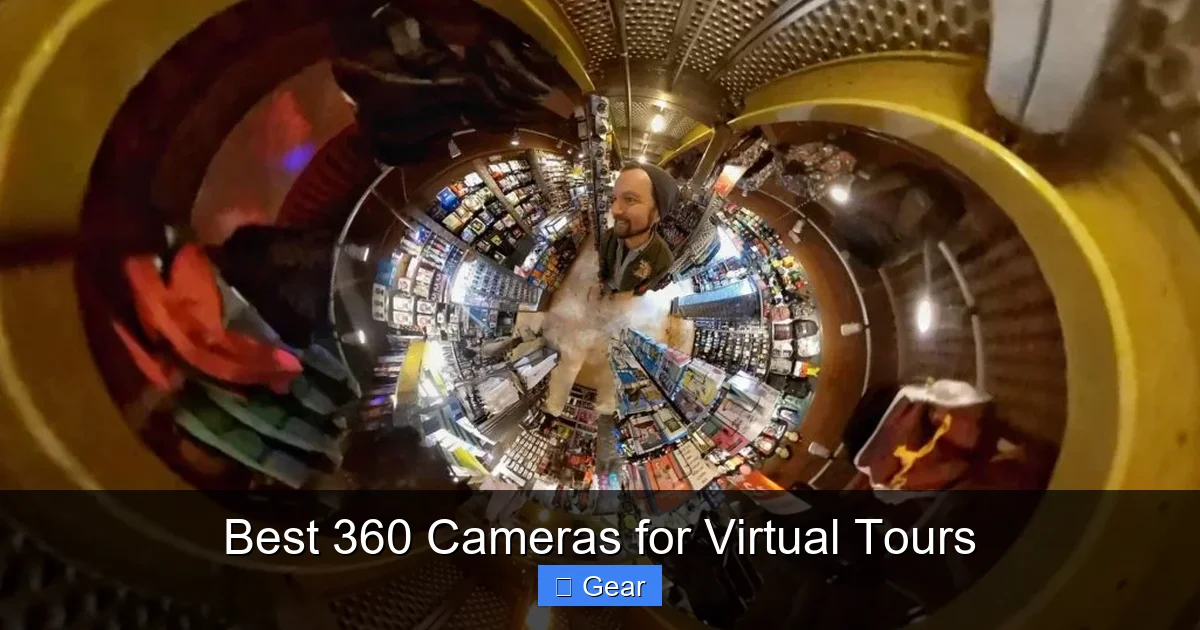
Creating captivating virtual tours requires the right gear, and selecting the best 360 cameras is paramount. This comprehensive guide dives into essential features, compares top models like Ricoh Theta and Insta360, and offers practical tips to help you produce professional, high-quality immersive experiences for any industry. Elevate your virtual presentations with the perfect camera choice.
Ever found yourself wanting to explore a property without leaving your couch? Or perhaps you dreamed of wandering through a museum from thousands of miles away? That’s the magic of virtual tours, and at the heart of every great virtual tour is an exceptional 360 camera. These incredible devices are changing the game for real estate agents, tourism boards, event planners, and even educators, allowing them to offer immersive, interactive experiences to anyone, anywhere.
The demand for engaging online content has skyrocketed, making virtual tours an indispensable tool for businesses and individuals alike. But simply having a 360 camera isn’t enough; choosing the best 360 cameras for virtual tours can be the difference between a mediocre presentation and an experience that truly captivates your audience. With so many options on the market, each promising groundbreaking features, it can feel a bit overwhelming to pick the right one. Don’t worry, we’re here to help you navigate this exciting landscape.
This guide will cut through the jargon and provide you with everything you need to know about selecting the ultimate 360 camera for your virtual tour projects. We’ll explore key features, dive into the top contenders, and share essential tips to help you capture stunning, high-quality, and truly immersive virtual tours that will leave a lasting impression. Let’s get started on finding the perfect gear to bring your visions to life!
Key Takeaways
- Image Quality is King: Prioritize 360 cameras with high resolution (at least 5.7K for video, 18MP+ for photos) and strong dynamic range for clear, vibrant, and detailed virtual tours, especially in challenging lighting conditions.
- Ease of Workflow Matters: Look for cameras that offer efficient in-camera stitching or user-friendly companion apps for quick processing. A smooth workflow saves time and simplifies the virtual tour creation process.
- Top Cameras Offer Specific Strengths: The Ricoh Theta Z1 and X are favored for their excellent image quality and robust app ecosystem, while the Insta360 X3 and One RS 1-inch 360 Edition excel in versatility, stabilization, and creative options for dynamic tours.
- Accessories and Software are Crucial: A stable tripod/monopod, good lighting, and reliable virtual tour software (like Matterport or Kuula) are just as important as the camera itself for producing professional results.
- Master Best Practices: Proper staging, strategic camera placement, meticulous lighting, and thoughtful post-processing are essential techniques to avoid common pitfalls and create truly immersive, engaging virtual tours.
- Consider Your Budget and Needs: Determine if a prosumer model offers enough quality or if investing in a professional setup provides the necessary features for your specific virtual tour requirements.
Quick Answers to Common Questions
What resolution is best for 360 virtual tour photos?
For still photos in virtual tours, aim for at least 18-20 megapixels for good detail and clarity when viewers zoom in. Higher resolutions like 72MP (Insta360 X3) offer even more flexibility.
Can I use a regular camera for virtual tours?
While you can stitch multiple photos from a regular camera, it’s a much more complex and time-consuming process. A dedicated 360 camera is designed for seamless, automatic capture and stitching, making it far more efficient for virtual tours.
Do 360 cameras record video?
Yes, most modern 360 cameras, especially the best 360 cameras for virtual tours, capture high-resolution 360 video, often up to 5.7K or 6K, which can be used for dynamic virtual tour segments or immersive experiences.
Is Matterport a 360 camera?
The Matterport Pro2 is specifically a 3D camera designed for creating detailed virtual tours. While it captures 360 panoramic images, its primary function is to also capture depth data for 3D models and measurements, which goes beyond a typical 360 camera.
What is “parallax error” in 360 photography?
Parallax error occurs when objects too close to the camera’s stitch lines appear distorted or misaligned in the final stitched 360 image, breaking the illusion of a seamless panorama. Keeping distance from close objects helps minimize this.
📑 Table of Contents
Why 360 Cameras are Essential for Virtual Tours
Virtual tours have transformed how we interact with physical spaces online. From showcasing homes to promoting tourist destinations, the ability to virtually step inside a location offers unparalleled engagement. Traditional photos and videos, while useful, simply can’t convey the sense of presence and freedom that a well-executed 360 virtual tour can. This is precisely where the specialized capabilities of the best 360 cameras for virtual tours come into play.
Immersive Experience
Unlike flat images or linear videos, 360-degree content allows viewers to control their perspective, looking up, down, and all around. This freedom creates an immersive experience that traditional media can’t match. For a potential homebuyer, this means being able to “walk through” every room, examining details at their own pace. For a traveler, it’s a taste of a destination before they even book a flight.
Increased Engagement and Reach
Virtual tours significantly boost engagement. Websites featuring virtual tours often see longer visitor dwell times and higher conversion rates. They can reach a global audience, breaking down geographical barriers and making your space accessible to anyone with an internet connection. This expanded reach is invaluable for businesses looking to attract more clients or customers.
Versatility Across Industries
The applications for virtual tours are incredibly diverse. Real estate agents use them to pre-qualify buyers and reduce physical showings. Hospitality businesses create tours of rooms and amenities to entice guests. Museums and galleries offer virtual exhibitions, making art and history accessible to a wider audience. Even educational institutions use them for virtual campus tours, helping prospective students visualize their future.
Key Features to Look For in a Virtual Tour 360 Camera
Choosing among the best 360 cameras for virtual tours requires understanding what truly matters. Not all 360 cameras are created equal, and specific features will make a significant difference in the quality and ease of creating your tours.
Visual guide about Best 360 Cameras for Virtual Tours
Image source: support.zinspector.com
Image Quality and Resolution
This is arguably the most critical factor. For virtual tours, you need crisp, clear images with excellent detail. Look for cameras that offer high resolution, ideally at least 5.7K for video and 18-20+ megapixels for still photos. Higher resolution means less pixelation when viewers zoom in or pan around, leading to a more professional and enjoyable experience. Cameras with larger sensors also generally capture better image quality, especially in low light.
Dynamic Range and Low-Light Performance
Virtual tours often involve shooting indoors where lighting can be uneven. A camera with good dynamic range can capture detail in both bright highlights (like windows) and dark shadows simultaneously, preventing blown-out skies or muddy corners. Excellent low-light performance is also crucial for dimly lit rooms or evening shoots, ensuring your images remain clean and noise-free.
Stitching Quality
A 360 camera works by capturing multiple images and “stitching” them together. The quality of this stitch is paramount. Poor stitching results in visible seams, distortion, or misalignment, breaking the immersion. Some cameras offer superior in-camera stitching, while others rely on companion software. Automatic, seamless stitching saves a tremendous amount of post-production time.
Ease of Use and Workflow
You don’t want a camera that’s complicated to operate. Look for intuitive controls, a user-friendly app, and a straightforward workflow from capture to publishing. Features like remote control via smartphone, quick sharing options, and compatibility with popular virtual tour platforms are big plusses. The quicker and easier you can create a tour, the more efficient your process will be.
Battery Life and Portability
Long battery life is essential, especially if you’re shooting multiple locations or extensive properties. Carrying extra batteries is always a good idea. Portability is also a factor; a compact, lightweight camera is easier to transport and set up discreetly.
Software and Ecosystem
The camera itself is just one part of the equation. Evaluate the camera’s companion app and desktop software. Do they offer robust editing features, easy export options, and integration with third-party virtual tour platforms? Some brands have a more developed ecosystem that supports everything from capture to hosting.
Top Contenders: Best 360 Cameras for Virtual Tours
Now that we know what to look for, let’s dive into some of the leading contenders that are widely considered the best 360 cameras for virtual tours today. Each offers a unique set of strengths that cater to different needs and budgets.
Ricoh Theta Z1 and Ricoh Theta X
Ricoh’s Theta series has long been a favorite in the virtual tour community, and for good reason. The Theta Z1, in particular, has been a benchmark for professional 360 still photography. It boasts a large 1-inch sensor, delivering exceptional image quality, dynamic range, and low-light performance. Its RAW DNG support provides immense flexibility in post-processing. While its video capabilities are good, its strength lies in creating high-quality static virtual tours.
- Ricoh Theta Z1: Known for its professional-grade still images, excellent dynamic range, and robust build. It’s ideal for high-end real estate, architectural, and commercial virtual tours where image fidelity is paramount.
- Ricoh Theta X: A newer iteration offering improved 5.7K video and a larger touch screen, making it more user-friendly directly from the camera. It offers a great balance between photo and video quality, appealing to a broader range of virtual tour creators.
Insta360 X3
The Insta360 X3 is a powerhouse that often finds its way onto lists of the best 360 cameras for virtual tours due to its versatility and impressive features. It captures stunning 5.7K 360 video and 72MP 360 photos, offering fantastic detail. Its FlowState stabilization is legendary, ensuring incredibly smooth footage even if you’re handheld. While primarily known for action and creative video, its photo capabilities are more than sufficient for most virtual tours, especially when combined with its HDR photo modes.
- Strengths: Excellent video stabilization, high-resolution photos, robust app with powerful editing tools, waterproof design, and a vibrant touch screen. It’s a fantastic all-rounder for dynamic virtual tours and creative projects.
Insta360 One RS 1-inch 360 Edition
For those seeking even higher image quality from Insta360, the One RS 1-inch 360 Edition is a significant leap. Developed in collaboration with Leica, this modular camera features dual 1-inch sensors, which translate to superior dynamic range, exceptional low-light performance, and cleaner images compared to smaller sensor cameras. It captures 6K 360 video and 21MP photos, making it a strong contender for professional virtual tour creators who prioritize image quality without sacrificing the flexibility of the Insta360 ecosystem.
- Strengths: Large 1-inch sensors for superior image quality, especially in challenging lighting. Modular design for versatility, excellent stabilization, and professional-grade output. It’s a strong choice for those who need top-tier visuals.
Matterport Pro2 3D Camera
While technically a 3D camera and not just a 360 camera, the Matterport Pro2 is specifically designed for creating highly accurate and detailed virtual tours, often referred to as “digital twins” of spaces. It captures both 2D 360 imagery and 3D depth data, allowing for precise floor plans, measurements, and a truly interactive “dollhouse” view. Its strength lies in its integrated platform and automated processing, making it incredibly user-friendly for real estate and construction. However, it requires a Matterport subscription for hosting and processing.
- Strengths: Industry-standard for real estate and construction virtual tours, precise 3D data, automated processing, excellent image quality, and comprehensive platform.
Beyond the Camera: Essential Accessories and Software
Having one of the best 360 cameras for virtual tours is a fantastic start, but it’s only part of the equation. To create truly professional and immersive experiences, you’ll need a few crucial accessories and the right software to bring everything together.
Stable Tripod or Monopod
This is non-negotiable. Shaky footage or photos will instantly detract from the professionalism of your virtual tour. A lightweight, sturdy tripod or a monopod (especially a “selfie stick” type designed for 360 cameras that can be magically removed in post-processing) is essential. Look for one that’s tall enough to get the camera above head height for a more natural viewing perspective, and that has a small footprint to minimize its presence in the shot.
Additional Lighting (Optional but Recommended)
Even cameras with great dynamic range can struggle in very dark or unevenly lit rooms. Small, portable LED lights can significantly improve the quality of your virtual tour, illuminating shadows and providing a more consistent exposure throughout the space. Ring lights can also be useful for specific shots.
Editing Software
While many 360 cameras come with companion apps for basic editing, more advanced post-processing might require dedicated software. This could include:
- Photo Editing Software: Adobe Lightroom or Photoshop are excellent for color correction, exposure adjustments, and sharpening 360 stills.
- Video Editing Software: Adobe Premiere Pro, DaVinci Resolve, or Final Cut Pro are industry standards for cutting 360 video, adding transitions, and overlaying graphics.
Often, the camera’s desktop software will handle the initial stitching and basic adjustments, streamlining your workflow.
Virtual Tour Hosting Platforms
Once your 360 content is captured and edited, you need a place to host and display it. These platforms allow you to create interactive tours by adding hotspots, floor plans, text labels, and even embedded videos. Popular options include:
- Matterport: As mentioned, it’s an all-in-one solution if you’re using their camera, offering robust hosting and analytics.
- Kuula: A popular, user-friendly platform known for its excellent image quality, customization options, and affordability.
- CloudPano: Another strong contender, especially favored for real estate, offering white-label solutions and lead generation tools.
- Ricoh360 Tours: Specifically designed for Ricoh Theta users, offering a streamlined workflow from capture to tour creation.
Choosing the right platform depends on your budget, desired features, and ease of integration with your existing workflow.
Tips for Capturing Stunning Virtual Tours
Even with the best 360 cameras for virtual tours, technique matters. Here are some essential tips to ensure your tours are professional, engaging, and truly immersive.
Prepare and Stage Your Space
Before you even bring out the camera, make sure the space is immaculate. Declutter, clean, and arrange furniture in an appealing way. Open curtains and blinds to let in natural light. Think about what you want viewers to focus on and remove distractions. A messy or poorly staged room will significantly detract from the tour’s quality.
Strategic Camera Placement
The placement of your 360 camera is crucial.
- Height: Position the camera at eye level (around 5-6 feet) for a natural viewing perspective, mimicking someone walking through the space.
- Centering: Try to center the camera in the middle of a room or hallway to capture an even view in all directions and minimize distortion. Avoid placing it too close to walls or objects.
- Line of Sight: Ensure the camera has a clear line of sight to all areas you want to showcase. Use fewer, well-placed shots rather than many poorly placed ones.
Optimize Lighting
Good lighting is paramount.
- Natural Light: Maximize natural light by opening windows and turning on all lights in the room.
- Avoid Direct Sunlight: Direct sunlight can cause harsh shadows and overexposed areas. If possible, shoot on overcast days or use curtains to diffuse strong sunlight.
- HDR Modes: Most of the best 360 cameras for virtual tours offer HDR (High Dynamic Range) modes. Use them! This helps balance exposure between bright windows and darker interiors.
Stay Out of the Shot!
This might seem obvious, but it’s easy to forget. Since the camera captures everything, you need to be out of sight. Use your smartphone to remotely control the camera, and then step behind a wall, into another room, or even hide behind a large piece of furniture. A good monopod or tripod helps distance you from the camera.
Minimize Parallax Errors
Parallax occurs when objects close to the camera appear to shift position relative to distant objects as the camera moves slightly. For 360 cameras with multiple lenses, this can lead to stitching errors if objects are too close to the camera’s stitch lines. Keep a reasonable distance between the camera and nearby objects to get cleaner stitches.
Post-Processing for Perfection
Even great raw footage can be improved.
- Color Correction & Exposure: Adjust colors to be natural and vibrant, and ensure exposure is consistent across all images in your tour.
- Sharpening: A little sharpening can bring out detail, but don’t overdo it.
- Adding Hotspots & Navigation: Use your chosen virtual tour software to add interactive elements like information hotspots, directional arrows, and floor plans to guide viewers through the space.
Conclusion
Creating compelling virtual tours is an art, and having the right tools makes all the difference. Investing in one of the best 360 cameras for virtual tours is the first and most critical step towards producing high-quality, immersive experiences that will impress your audience and achieve your goals. Whether you’re a real estate professional showcasing properties, a travel blogger capturing destinations, or an educator creating engaging learning environments, the right camera empowers you to tell your story in a truly unique and interactive way.
Remember to consider image quality, ease of use, and ecosystem support when making your choice. Models like the Ricoh Theta Z1 and X offer superb still image quality for professional presentations, while the Insta360 X3 and One RS 1-inch 360 Edition provide incredible versatility and stabilization for dynamic content. Don’t forget the importance of stable accessories and robust virtual tour software, as these are the crucial elements that tie your entire project together.
By combining top-tier equipment with smart shooting techniques and thoughtful post-processing, you’ll be well on your way to crafting virtual tours that not only look amazing but also provide genuine value and engagement. So, go ahead, choose the camera that best fits your needs, and start capturing the world in 360 degrees!
🎥 Related Video: Best 360 Camera for Virtual Tours 2025
📺 The 360 Guy
Looking to shoot high quality virtual tours in 2025? In this video, I compare the top 360 cameras currently on the market for real …
Frequently Asked Questions
How important is battery life when choosing a 360 camera for virtual tours?
Battery life is quite important, especially if you plan on shooting multiple locations or extensive properties in one session. You don’t want your camera to die mid-shoot. Always check the estimated battery life and consider carrying spare batteries or a power bank to ensure you can complete your work without interruptions.
What’s the difference between in-camera stitching and software stitching?
In-camera stitching processes and combines the individual images or video frames directly within the camera, offering a quicker workflow for immediate preview and use. Software stitching, on the other hand, involves transferring the raw footage to a computer and using dedicated software to perform the stitching, which often allows for more precise control and higher-quality results, though it takes more time.
Can I host virtual tours on my own website?
Yes, you can absolutely host virtual tours on your own website. Most virtual tour platforms provide embed codes (like an iframe) that allow you to seamlessly integrate your tours into your website, giving you full control over the presentation and branding. Some platforms also offer white-label options.
Are 360 cameras difficult to learn for beginners?
Most modern 360 cameras are surprisingly user-friendly, even for beginners. The “best 360 cameras for virtual tours” often come with intuitive companion apps that guide you through the process of capturing and creating your first tours. With a little practice, understanding camera placement and lighting, you’ll be producing great results in no time.
What’s the ideal lighting setup for virtual tour photography indoors?
The ideal indoor lighting setup involves maximizing natural light by opening blinds and curtains, turning on all interior lights (including lamps), and using HDR modes on your 360 camera to balance exposure. If necessary, supplement with portable LED lights to illuminate dark corners or balance uneven lighting, aiming for a consistent, bright, yet natural look.
Should I prioritize photo or video quality for virtual tours?
For most traditional virtual tours, especially in real estate, prioritizing photo quality is generally more important as static 360 images form the core interactive experience. However, if you plan to create dynamic walkthroughs, cinematic property tours, or action-oriented content, then strong 360 video capabilities become equally crucial. Consider your primary use case when evaluating the “best 360 cameras for virtual tours.”
