


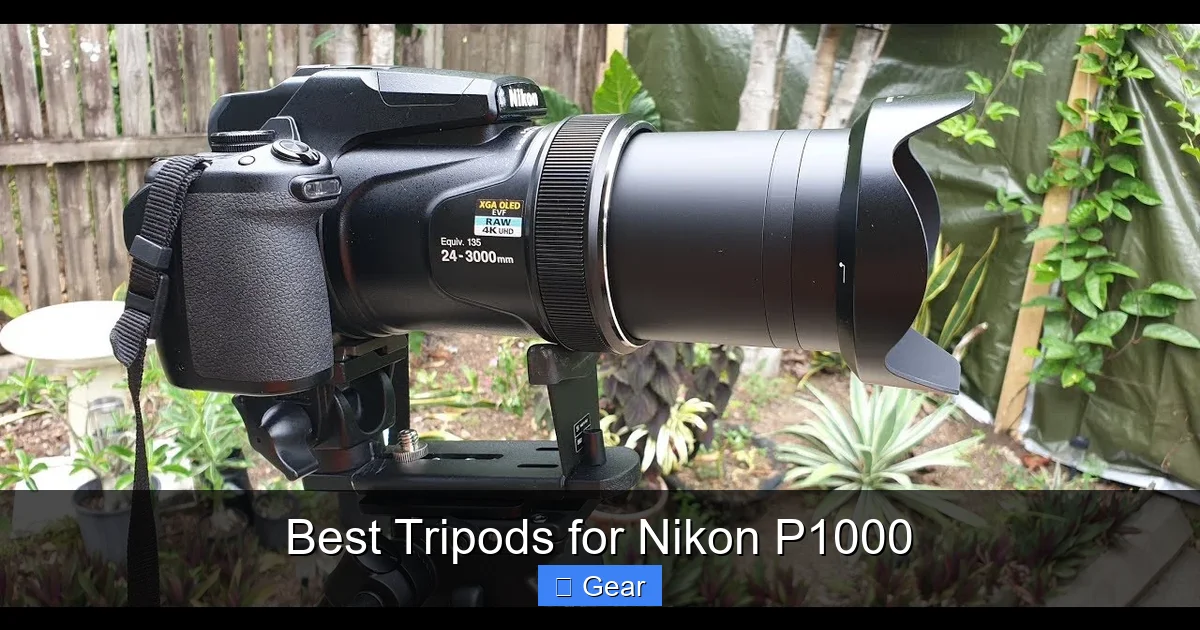
The Nikon P1000, with its incredible zoom and substantial weight, demands a truly robust tripod for stable, sharp images. A sturdy tripod is not just an accessory; it’s an essential tool to counteract camera shake, especially when shooting at super-telephoto focal lengths. Prioritize high weight capacity, a versatile head (like a pan-tilt or fluid head), and durable materials to maximize your P1000’s unique capabilities.
Ah, the Nikon P1000! What an incredible camera, right? With its jaw-dropping 125x optical zoom, reaching an astonishing 3000mm equivalent, it opens up a world of photographic possibilities that most cameras can only dream of. From capturing the intricate details of the moon’s surface to wildlife that’s barely visible to the naked eye, the P1000 is a true marvel of engineering. But here’s the thing: with great power comes great responsibility… and an even greater need for stability.
If you own a Nikon P1000, you’ve probably already experienced the challenge. As soon as you zoom in past a certain point, even the steadiest hands can’t fight the dreaded camera shake. That tiny tremor you barely notice at a wide angle becomes a jarring earthquake at 3000mm, turning your potentially stunning shot into a blurry mess. This is where a high-quality tripod isn’t just a nice-to-have accessory; it’s an absolute necessity. Choosing the best tripods for Nikon P1000 is key to unlocking its full potential and ensuring your incredible zoom capabilities translate into incredibly sharp images.
So, how do you pick the right one? It’s not as simple as grabbing the cheapest tripod off the shelf. The Nikon P1000 has specific needs due to its unique design and extreme focal length. We’re going to dive deep into what makes a tripod truly suitable for this powerhouse camera, helping you make an informed decision so you can capture those distant subjects with unparalleled clarity and detail.
Key Takeaways
- Extreme Zoom Requires Extreme Stability: The Nikon P1000’s 3000mm equivalent zoom magnifies even the slightest vibration, making a high-quality, stable tripod absolutely essential for sharp images.
- Prioritize Weight Capacity: Choose a tripod that can comfortably support at least 2-3 times the P1000’s weight (approximately 3.1 lbs or 1.4 kg) to ensure stability and prevent tip-overs, especially with a heavier head attached.
- Head Type Matters Significantly: Opt for a pan-tilt head or a fluid head for smooth, precise control over the P1000’s movement, crucial for tracking subjects and fine-tuning compositions at long focal lengths. Ball heads can be trickier to manage with this camera.
- Durable Materials for Longevity: While aluminum tripods are robust and affordable, carbon fiber offers superior vibration dampening and lighter weight, making it an excellent investment for dedicated P1000 users.
- Consider Additional Features: Look for features like a center column hook for added stability (using a counterweight), quick-release plates for easy mounting, and sturdy leg locks that won’t slip under load.
- Portability vs. Stability: While a lightweight tripod is appealing for travel, compromise on stability at your peril with the P1000. For serious work, err on the side of a heavier, more stable model.
Quick Answers to Common Questions
Can I use any tripod with my Nikon P1000?
While you *can* technically mount a Nikon P1000 on almost any tripod, its extreme zoom and weight distribution mean that only a robust, high-capacity tripod with a suitable head will provide the necessary stability for sharp images.
What is the most important feature for a P1000 tripod?
The most important feature is weight capacity. Ensure the tripod can comfortably support at least 2-3 times the P1000’s weight to prevent instability and sag, especially at full zoom.
Should I get an aluminum or carbon fiber tripod for the P1000?
Carbon fiber offers superior vibration dampening and lighter weight, making it ideal for the P1000, though it’s more expensive. Aluminum is a good, more affordable option if weight isn’t a primary concern.
Are ball heads good for the Nikon P1000?
Ball heads can be challenging for the P1000 due to its weight and the difficulty of making precise adjustments at extreme zoom. A good pan-tilt or fluid head is generally recommended for better control and stability.
Do I need a remote shutter release with a tripod?
Yes, a remote shutter release is highly recommended. Even on a tripod, pressing the camera’s shutter button can cause vibrations that lead to blurry images at long focal lengths. A remote eliminates this contact.
📑 Table of Contents
Why the Nikon P1000 Demands a Specialized Tripod
Let’s talk about why the P1000 isn’t your average point-and-shoot when it comes to tripod needs. Understanding these factors will help you appreciate why certain features are non-negotiable.
Extreme Telephoto Magnification
The P1000’s standout feature is its zoom. At 3000mm, the smallest movement of the camera is amplified exponentially. Think about it: if your camera moves even a millimeter, that translates to meters of shift in your distant subject. This means any vibration, be it from your hands, a wobbly tripod, or even a slight breeze, will result in blurry images. To counteract this, you need a tripod that offers rock-solid stability.
Camera Weight and Balance
While not a full-frame DSLR, the Nikon P1000 is a relatively hefty camera for its class, weighing in at approximately 3.1 lbs (1.4 kg) with battery and memory card. When you factor in the extended lens barrel at maximum zoom, the center of gravity shifts forward. A flimsy tripod or a weak tripod head simply won’t be able to support this weight effectively, leading to sag, instability, and potential tip-overs. The best tripods for Nikon P1000 must have a strong weight capacity.
Fine Adjustments Are Critical
When you’re zoomed in on a tiny bird or a distant landmark, even a fraction of an inch in adjustment can make the difference between a perfect composition and a missed shot. This requires a tripod head that allows for extremely precise, smooth movements without jerking or slipping. Cheap, plastic heads just won’t cut it when you need to make those micro-adjustments.
Key Features to Look for in a Tripod for Your P1000
Now that we know *why* the P1000 needs a good tripod, let’s break down the essential features you should be looking for. Prioritizing these will help you narrow down the best tripods for Nikon P1000.
1. Weight Capacity (Load Rating)
This is arguably the most critical specification. Always choose a tripod with a maximum load capacity significantly higher than the weight of your Nikon P1000. A good rule of thumb is to aim for a capacity that is 2-3 times the camera’s weight. So, for the P1000’s 3.1 lbs (1.4 kg), look for a tripod capable of holding at least 6-9 lbs (2.7-4 kg). This buffer ensures stability, even when the lens is fully extended, and gives you room for accessories like an external microphone or flash.
2. Tripod Head Type
The head is where your camera attaches and controls its movement. For the Nikon P1000, the head type is paramount for precision and stability.
- Pan-Tilt Heads: These are excellent for the P1000. They offer independent control over horizontal (pan) and vertical (tilt) movements, often with separate locking knobs. This allows for very precise adjustments and smooth tracking of subjects, which is ideal for wildlife or distant objects. Look for a head with fluid movement for video and smooth panning.
- Fluid Heads: A specific type of pan-tilt head, fluid heads use a damping system to provide incredibly smooth, controlled movements, especially beneficial for video but also fantastic for fine photographic adjustments. Many video tripods come with fluid heads that are perfect for the P1000.
- Ball Heads: While popular for their speed and flexibility, ball heads can be challenging with the P1000’s weight distribution and extreme zoom. They allow movement in all directions simultaneously, which can make fine adjustments difficult. If you opt for a ball head, ensure it’s a very robust one with a large ball diameter (50mm+) and separate friction control to prevent unwanted sagging.
- Gimbal Heads: These are often overkill and quite expensive for the P1000, usually reserved for large DSLRs with massive telephoto lenses. However, if you already own one or are considering it for other gear, a gimbal head provides unparalleled balance and smooth tracking for telephoto work.
3. Material: Aluminum vs. Carbon Fiber
The material of your tripod legs affects both weight and vibration dampening.
- Aluminum: Aluminum tripods are generally more affordable and offer good stability. They are durable but tend to be heavier than carbon fiber. For stationary shooting or if budget is a primary concern, aluminum is a solid choice.
- Carbon Fiber: Carbon fiber tripods are lighter and offer superior vibration dampening. This means they absorb vibrations (from wind, ground movement, etc.) better than aluminum, leading to sharper images at extreme focal lengths. They are typically more expensive but are an excellent investment for dedicated P1000 users who prioritize portability without sacrificing stability.
4. Stability and Rigidity
Beyond weight capacity, look at the overall construction. Does it feel solid? Thick leg sections are generally more stable than thin ones. Look for leg locks that are secure and easy to operate. The less flex or wobble, the better. A good center column with a hook for adding a counterweight (like your camera bag) can significantly improve stability, especially in windy conditions.
5. Maximum and Minimum Height
Consider your shooting style. Do you need to shoot from eye level? Do you often shoot low to the ground for unique perspectives? Ensure the tripod’s maximum height, with the center column extended (but use sparingly, as it reduces stability), is comfortable for you. A removable or reversible center column can be handy for very low-angle shots. The minimum height is also important for creative ground-level photography.
6. Leg Locks: Flip Locks vs. Twist Locks
Both types have their pros and cons:
- Flip Locks: Often quicker to deploy and collapse. Ensure they are robust and provide a strong clamp. Cheaper flip locks can wear out or become loose over time.
- Twist Locks: Generally more compact and less prone to snagging. They can offer a tighter lock and better weather sealing. Some users find them slower to operate, especially when extending all legs simultaneously.
Choose the type you find most comfortable and reliable. For the Nikon P1000, the security of the lock is paramount.
7. Tripod Feet
Many tripods come with rubber feet, which are good for indoor and smooth surfaces. Some also include retractable spikes, which are excellent for outdoor use on soft ground, grass, or uneven terrain, providing extra grip and stability. Having both options is ideal.
Recommended Tripod Head Types for the P1000
Let’s delve a bit deeper into the specific head types that work best with your Nikon P1000.
Pan-Tilt Heads: Your Best Friend for Precision
For most P1000 users, a good 3-way pan-tilt head is probably the sweet spot. These heads offer separate controls for pan (horizontal), tilt (vertical), and sometimes even a third axis for tilting side-to-side. This independent control is incredibly valuable when you’re zoomed in tight.
- Benefits: Highly precise adjustments, great for composition, excellent for smooth panning across a landscape or tracking a subject moving horizontally. Many models feature long handles that give you leverage for very fine movements.
- What to Look For: Look for models with solid construction, smooth damping, and ergonomic handles. A quick-release plate system is also a must for easy camera mounting and dismounting. Reputable brands like Manfrotto or Benro offer excellent pan-tilt options.
Fluid Heads: The Video Specialist (Also Great for Stills)
While often associated with video, a fluid head can be a fantastic choice for still photography with the P1000, especially if you also shoot video.
- Benefits: Incredibly smooth, dampened movements, perfect for professional-looking pans and tilts in video. This smoothness also translates to ultra-fine adjustments for still photography, making it easier to nail your composition without sudden jerks. They handle the P1000’s weight distribution very well.
- What to Look For: Look for adjustable fluid drag control, which lets you fine-tune the resistance of movements. Counterbalance systems are also a plus, helping to prevent the camera from tipping when the lens is pointed upward or downward. Again, Manfrotto and Benro are strong contenders, often having more budget-friendly options than dedicated cinema brands.
Ball Heads: Proceed with Caution
While versatile, using a ball head with the P1000 requires careful consideration.
- Challenges: Because the ball head allows movement in all directions at once, making small, independent adjustments (e.g., just tilting up slightly without also panning a bit) can be difficult. When you lock it down, there’s also a common phenomenon called “ball head sag,” where the camera subtly shifts a fraction of a degree after tightening, which can be critical at 3000mm.
- If You Choose One: Go for a large, heavy-duty ball head (at least 50mm ball diameter) with strong locking mechanisms and separate friction control. This friction control allows you to pre-tension the ball so the camera doesn’t flop when unlocked but still moves freely. Brands like Really Right Stuff, Arca-Swiss, and some Vanguard models offer high-quality ball heads that might mitigate these issues, but they come at a premium.
Top Tripod Brands and Considerations for Your P1000
Instead of specific models (which can change or go out of stock), let’s talk about reputable brands and the types of tripods to look for that generally fit the Nikon P1000’s needs.
Manfrotto
A widely recognized brand, Manfrotto offers a huge range of tripods and heads. For the P1000, look for their “055” or “190” series tripods paired with a “3-Way Pan/Tilt Head” (like the Manfrotto 808RC4 or MH804-3W) or a lightweight “Fluid Video Head” (e.g., the MVH500AH or MVH400AH). These combinations provide excellent stability and control without breaking the bank.
Vanguard
Vanguard produces innovative and well-built tripods. Their “Alta Pro” series, particularly the 263AB (aluminum) or 263CB (carbon fiber) models, are robust and versatile. When paired with their “Alta PH-32” (3-way pan head) or a compatible fluid head, they make a strong candidate for the Nikon P1000. Vanguard often offers a good balance of features, quality, and price.
Benro
Benro is another strong contender, offering tripods and heads that often provide excellent value. Look into their “Mach3” series tripods, especially the heavier-duty aluminum or carbon fiber versions, combined with one of their “3-Way Pan Heads” or “S-series Video Heads.” Benro’s video heads, in particular, can be very well-suited for the precise movements needed with the P1000.
Gitzo & Really Right Stuff (Premium Options)
If budget is not a primary concern and you demand the absolute best in stability, vibration dampening, and build quality, then Gitzo (carbon fiber) and Really Right Stuff (RRS) are the brands to consider. Their tripods and heads are an investment, but they offer unparalleled performance. Look for their heavier-duty carbon fiber tripods and pair them with a robust fluid head or a high-end geared head for ultimate precision. While often overkill, they certainly qualify as the best tripods for Nikon P1000 from a performance standpoint.
Consider a Tripod Kit
Many manufacturers sell tripods and heads as kits. This can be a good way to ensure compatibility and often provides a better value than buying components separately. When browsing kits, always check the individual head type and the overall weight capacity of the kit.
Tripod Accessories and Best Practices for P1000 Users
Having the right tripod is half the battle; knowing how to use it effectively with your Nikon P1000 completes the picture.
Quick Release Plates
Almost all modern tripods come with a quick-release plate system. This small plate attaches to the bottom of your camera and then clicks securely into the tripod head. It allows for fast and easy mounting and dismounting of your P1000. Ensure the plate is securely fastened to your camera (hand-tighten, or use a coin/screwdriver if needed) to prevent any wobbling.
Remote Shutter Release
Even with the sturdiest tripod, pressing the shutter button directly can introduce enough vibration to blur your shot at extreme zoom. A remote shutter release is an absolute game-changer for the Nikon P1000. Use a wired remote, a wireless remote, or even the camera’s self-timer (2-second delay is often sufficient) to trigger the shutter without touching the camera. This eliminates any direct contact vibration.
Counterweights
If your tripod has a hook at the bottom of the center column, use it! Hanging your camera bag, a sandbag, or even a bottle of water from this hook significantly lowers the tripod’s center of gravity and increases its stability, especially useful in windy conditions or when the P1000 is zoomed out extensively.
Proper Setup Techniques
- Extend Thicker Legs First: When extending the tripod legs, always extend the thickest sections first. These are the most rigid. Only extend the thinner sections if absolutely necessary for height.
- Stagger Legs: If shooting on uneven ground or a slope, position one leg pointing towards your subject for maximum stability.
- Avoid Full Center Column Extension: The center column is the least stable part of the tripod. Only extend it if you absolutely need the extra height. It’s always better to extend the legs fully first.
- Lock Everything Down: Before taking your shot, double-check that all leg locks, head locks, and quick-release plate clamps are securely tightened.
- Image Stabilization: While using a tripod, you might consider turning off the P1000’s optical image stabilization (VR). Sometimes, when the camera is perfectly still on a tripod, the VR system can try to “correct” non-existent movement, leading to slightly softer images. Test this for yourself, but generally, for long exposures on a tripod, VR off is preferred.
Choosing the best tripods for Nikon P1000 means investing in stability and precision. It means ensuring that every pixel of that incredible zoom is as sharp and clear as possible. Don’t let a wobbly setup limit your P1000’s potential. With the right tripod and good shooting practices, you’ll be capturing breathtaking images of distant subjects with confidence and clarity.
Conclusion
The Nikon P1000 is a truly extraordinary camera, a superzoom marvel that can bring the furthest details right to your viewfinder. However, its exceptional capabilities, particularly at extreme telephoto focal lengths, are only truly realized with the right support system. A robust, stable, and precisely controllable tripod is not just an accessory; it is an indispensable partner for your P1000.
By understanding the unique demands of the P1000 – its weight, its balance shifts at full zoom, and the critical need to eliminate even the slightest vibration – you can make an informed decision when selecting your tripod. Prioritize a high weight capacity, opt for a pan-tilt or fluid head for unparalleled control, and consider durable materials like carbon fiber for the best blend of stability and portability. With the best tripods for Nikon P1000 supporting your photographic adventures, you’ll be well-equipped to capture stunning, sharp images of everything from the moon to elusive wildlife, unlocking the full, incredible potential of your camera.
🎥 Related Video: Nikon Coolpix P1000 – 6 Best Accessories
📺 SuperZoom
If you have already ordered or are thinking about buying the Nikon P1000 its important you set yourself up with the best toolkit you …
Frequently Asked Questions
What type of tripod head is best for smooth tracking with the Nikon P1000?
For smooth tracking and precise adjustments with the Nikon P1000, a fluid head is highly recommended. These heads are designed with a damping system that allows for incredibly smooth pan and tilt movements, which is crucial when following moving subjects or making fine compositional changes at extreme zoom levels.
How much weight capacity does my tripod need for the Nikon P1000?
The Nikon P1000 weighs approximately 3.1 lbs (1.4 kg). It’s best practice to choose a tripod with a weight capacity that is 2-3 times the camera’s weight for optimal stability. Therefore, look for a tripod capable of supporting at least 6-9 lbs (2.7-4 kg) to ensure it can handle the camera’s weight, especially when the lens is fully extended.
Why is my P1000 still shaky on a tripod?
If your Nikon P1000 is still shaky on a tripod, several factors could be at play. Your tripod might not have sufficient weight capacity, the leg locks might not be fully tightened, the center column might be extended too high, or you could be introducing vibrations by pressing the shutter button directly. Ensure everything is secure and use a remote shutter release.
Can I use my P1000’s image stabilization (VR) when it’s on a tripod?
It’s generally recommended to turn off the Nikon P1000’s optical image stabilization (VR) when the camera is securely mounted on a sturdy tripod. When the camera is perfectly still, the VR system might try to “correct” non-existent movement, which can sometimes lead to slightly softer images. However, it’s always a good idea to test both with and without VR for your specific shooting conditions.
What are some budget-friendly tripod options that are still good for the P1000?
For budget-friendly options, look for aluminum tripods from reputable brands like Manfrotto, Vanguard, or Benro, specifically their models with a strong load capacity and a good pan-tilt head. You might compromise slightly on weight or advanced features, but these brands often offer robust entry-level options that are a significant upgrade from generic, flimsy tripods.
How important are the tripod legs for P1000 stability?
The tripod legs are extremely important for overall stability. Look for models with thick leg sections, as they are inherently more rigid and less prone to vibration. The type of leg locks (flip or twist) also matters, with secure, high-quality locks being essential to prevent slippage. Good tripod legs, combined with a suitable head, form the foundation for sharp P1000 images.
