


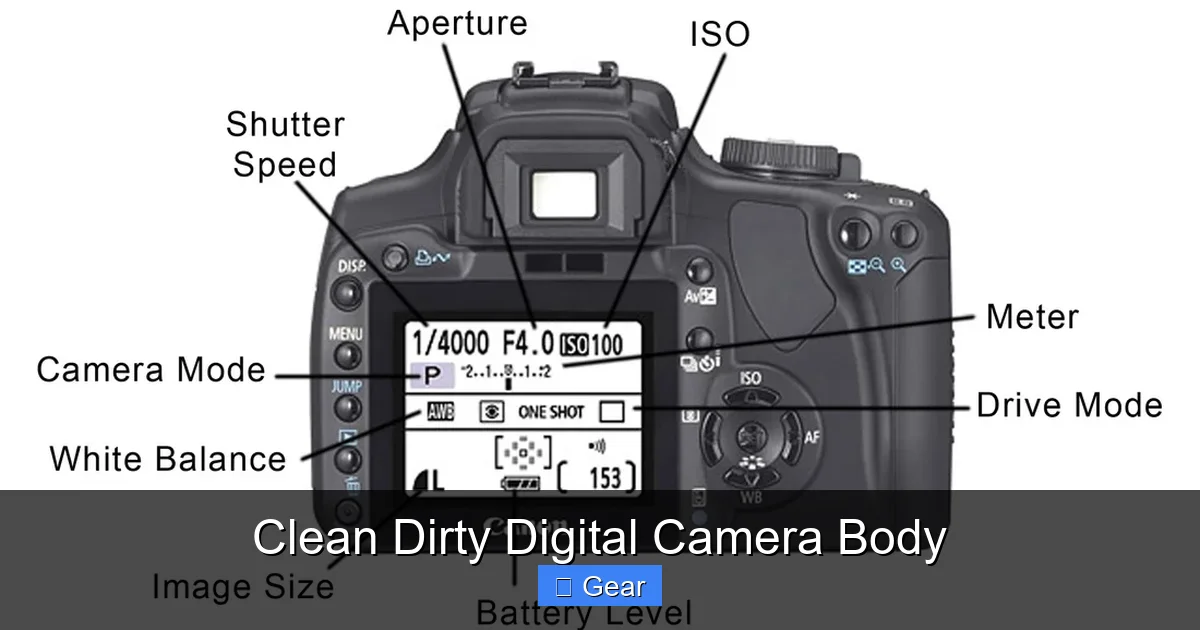
Keeping your digital camera body clean is paramount for its longevity, performance, and the quality of your photographs. Dirt, dust, and grime can lead to sticky buttons, corroded ports, and even sensor issues, compromising your expensive gear. This comprehensive guide provides step-by-step instructions, essential tools, and practical tips to safely clean dirty digital camera body parts, ensuring your camera remains in pristine condition and ready for your next shot. Regular, proper cleaning prevents damage and maintains resale value.
Welcome, fellow photography enthusiast! We all love capturing those breathtaking moments, whether it’s a majestic landscape, a fleeting street scene, or a precious family memory. Our digital cameras are our trusty companions, an extension of our creative vision. But let’s be honest, how often do we truly give our camera bodies the TLC they deserve? It’s easy to focus on keeping our lenses sparkling clean, but the camera body itself often bears the brunt of our adventures, silently accumulating dust, grime, and fingerprints. That’s where the journey of learning to clean dirty digital camera body components begins.
Your digital camera is a significant investment, a complex piece of engineering designed to withstand a fair bit of abuse. However, constant exposure to the elements – dust, sand, moisture, sweat, and even tiny food crumbs – can take its toll. A dirty camera body isn’t just an eyesore; it can lead to sticky buttons, malfunctioning dials, corroded electrical contacts, and even introduce contaminants to your lens and, worse, your camera’s sensitive sensor. Ignoring the need to clean dirty digital camera body parts can shorten its lifespan, degrade its performance, and ultimately impact your image quality. But fear not! Cleaning your camera body is a straightforward process, and with the right tools and techniques, you can keep your gear looking pristine and performing optimally for years to come.
Key Takeaways
- Prevention is Paramount: Protecting your camera from harsh elements, using proper bags, and employing lens caps are the first lines of defense against a dirty digital camera body.
- Use the Right Tools: Avoid household cleaners and abrasive materials. Invest in purpose-built photography cleaning tools like air blowers, microfiber cloths, soft brushes, and specialized cleaning solutions.
- Start Gentle, Work Up: Always begin with the least invasive cleaning method (air blower) before moving to brushes or cloths. Aggressive cleaning can cause more harm than good.
- Focus on Key Areas: Pay special attention to the camera’s exterior, grip, buttons, dials, hot shoe, and port covers, as these are common accumulation points for dirt and grime.
- Differentiate Body vs. Sensor Cleaning: While this guide focuses on the body, remember that sensor cleaning is a separate, more delicate process that often requires specialized kits or professional service.
- Regularity Matters: Make cleaning your camera body a routine part of your gear maintenance, especially after shooting in dusty, sandy, or humid environments, to prevent dirt from becoming deeply ingrained.
- Safety First: Always turn off your camera and remove the battery before performing any significant cleaning to prevent accidental power-ups or electrical shorts.
Quick Answers to Common Questions
Can I use household glass cleaner on my camera body?
No, absolutely not. Household glass cleaners often contain ammonia or other harsh chemicals that can damage camera plastics, rubber grips, and lens coatings. Always use specialized photography cleaning solutions or plain water/isopropyl alcohol for specific tasks.
How often should I clean my camera body?
It depends on your shooting environment. After every dusty or sandy shoot is ideal. For general use, a thorough clean every few weeks or once a month is a good routine, combined with quick wipes after each use.
Is it safe to use compressed air cans?
No, it’s generally not recommended. Compressed air cans can spray propellants that leave residue, and the high pressure can force dust deeper into your camera or even damage delicate components. Stick to manual air blowers (like a Rocket Blower).
Can I wash the rubber grip with soap and water?
It’s best to avoid immersing any part of your camera in water. For rubber grips, gently wipe with a microfiber cloth slightly dampened with plain water, or a very dilute mild soap solution applied to the cloth, then wipe dry immediately.
What if my camera body gets wet?
Immediately turn it off, remove the battery, and open any port covers. Gently wipe off visible water with a clean, dry cloth. Place it in a bag with desiccant packets (like silica gel) and let it air dry for at least 24-48 hours before attempting to turn it on. If it was fully submerged, professional service is likely needed.
📑 Table of Contents
- Why a Clean Camera Body Matters (Beyond Aesthetics)
- Understanding “Dirty”: Types of Contaminants
- Essential Tools for a Clean Digital Camera Body
- The Step-by-Step Guide to Cleaning Your Camera Body
- Specific Areas: Hot Shoe, Ports, Buttons, and LCD
- Prevention is Key: Maintaining a Clean Camera Environment
- Conclusion
Why a Clean Camera Body Matters (Beyond Aesthetics)
It might seem purely cosmetic, but maintaining a clean dirty digital camera body goes far beyond just making your gear look good. There are several critical reasons why regular and thorough cleaning is essential for any serious photographer.
Protecting Internal Components
Beneath the robust exterior of your camera lies a delicate ecosystem of electronics. Dust, sand, and moisture can find their way into the tiniest crevices, around buttons, and through port covers. Over time, these contaminants can lead to:
- Sticky or unresponsive buttons and dials: Grime can jam the mechanisms, making operation frustrating and unreliable.
- Corroded electrical contacts: Exposure to sweat, moisture, or salt spray can corrode the contacts in your hot shoe, battery compartment, and port covers, leading to connectivity issues or even complete failure.
- Compromised seals: Many modern cameras boast weather sealing. However, dirt and grit lodged in the seams can compromise these seals, making your camera vulnerable to moisture and dust ingress.
Regularly wiping down and carefully removing debris from these areas is key to ensuring everything functions as it should. A clean dirty digital camera body is a happy camera body, ready for action.
Maintaining Image Quality (Indirectly)
While this guide focuses on the body, remember that a dirty camera body is often a source of contaminants that can migrate to more critical areas. Dust particles on the camera body can easily transfer to your lens when changing optics, and from there, make their way onto the sensor. Though cleaning the body doesn’t directly clean the sensor, it significantly reduces the likelihood of sensor dust issues. Preventing dirt from reaching your sensor means less time spent spot-cleaning images in post-processing.
Preserving Resale Value and Longevity
A well-maintained camera body not only lasts longer but also holds its value better. If you ever decide to upgrade, a camera that looks clean and functions perfectly will fetch a much higher price than one that’s visibly neglected. Regular cleaning prevents premature wear and tear, ensuring your investment serves you well for many years. To properly clean dirty digital camera body parts is to truly care for your investment.
Understanding “Dirty”: Types of Contaminants
Before we dive into the cleaning process, let’s identify what kind of “dirty” we’re up against. Knowing the type of contaminant helps you choose the most effective and safest cleaning method for your clean dirty digital camera body.
Dust and Grit
The most common culprits. Dust is everywhere, and it loves to settle on camera surfaces, especially in the seams and around textured grips. Grit includes finer particles like sand, which is highly abrasive and can scratch surfaces if rubbed.
Fingerprints and Skin Oils
Our hands are constantly interacting with the camera, leaving behind oils and smudges that can attract more dust and become quite stubborn. The rubberized grips are particularly prone to accumulating these.
Sweat and Moisture
Especially common in humid environments or during strenuous shoots. Sweat contains salts and acids that can be corrosive to electronics and leave unsightly marks on the body. Water spots from rain or splashes also fall into this category.
Food and Drink Residue
Accidental spills or crumbs from snacks eaten during a shoot. These can attract pests and become sticky, potentially jamming buttons or dials.
Environmental Residues
Think pollen, sea spray, smoke, or even volcanic ash. These can be particularly challenging and require immediate attention to prevent long-term damage.
Essential Tools for a Clean Digital Camera Body
Using the right tools is half the battle. Resist the urge to grab household cleaners or abrasive cloths. Photography gear requires specialized, gentle tools. Here’s your essential toolkit to clean dirty digital camera body components:
Air Blower (Rocket Blower style)
This is your first line of defense. A manual air blower (not compressed air cans!) is crucial for dislodging loose dust and grit without touching the camera surface. The `Rocket Blower` from Giottos or similar brands is highly recommended due to its strong, directed blast of air and one-way valve to prevent sucking in dust. Compressed air cans contain propellants that can leave residue and are too powerful, potentially forcing dust deeper into the camera or causing condensation.
Soft Microfiber Cloths
High-quality, lint-free microfiber cloths are ideal for wiping down surfaces. Make sure they are specifically designed for optics or delicate electronics. Keep separate cloths for lenses and body to avoid cross-contamination. Always ensure the cloth is clean; a dirty cloth will only scratch your camera.
Soft-Bristle Brush
A very soft, natural hair brush (like a camel hair brush or dedicated photography brush) can gently sweep away stubborn dust from crevices without scratching. Ensure it’s clean and never use it for other purposes like cleaning lenses, to avoid transferring oils or debris.
Lens Cleaning Solution (sparingly)
While primarily for lenses, a small amount of specialized lens cleaning fluid can be used on a microfiber cloth to tackle stubborn grime or oily smudges on the camera body. Always apply to the cloth first, not directly to the camera. Look for alcohol-free and ammonia-free solutions.
Cotton Swabs or Cotton Buds
Great for reaching into tiny nooks and crannies, like around buttons, dials, or in the hot shoe. Use them dry or very lightly dampened with lens cleaning solution for targeted cleaning.
Toothpicks or Plastic Spudgers
For very stubborn, stuck-on grime in tight spaces, a wooden toothpick or a soft plastic spudger can be used with extreme care to gently pry away debris. Avoid metal tools that can scratch.
Isopropyl Alcohol (99%)
For cleaning metal contacts on the hot shoe or battery compartment, a tiny amount of 99% isopropyl alcohol on a cotton swab can be effective. This evaporates quickly and leaves no residue. Be very careful and ensure it doesn’t drip into the camera’s interior or touch plastic/rubber parts as it can dry them out.
The Step-by-Step Guide to Cleaning Your Camera Body
Now that you have your tools, let’s get down to business. Follow these steps to safely and effectively clean dirty digital camera body parts.
Step 1: Preparation is Key
Turn off your camera and remove the battery. This prevents accidental power-ups or any electrical issues during cleaning. If possible, also remove the lens (and attach a body cap) to protect the sensor and prevent dust from entering the lens mount. Find a clean, well-lit workspace.
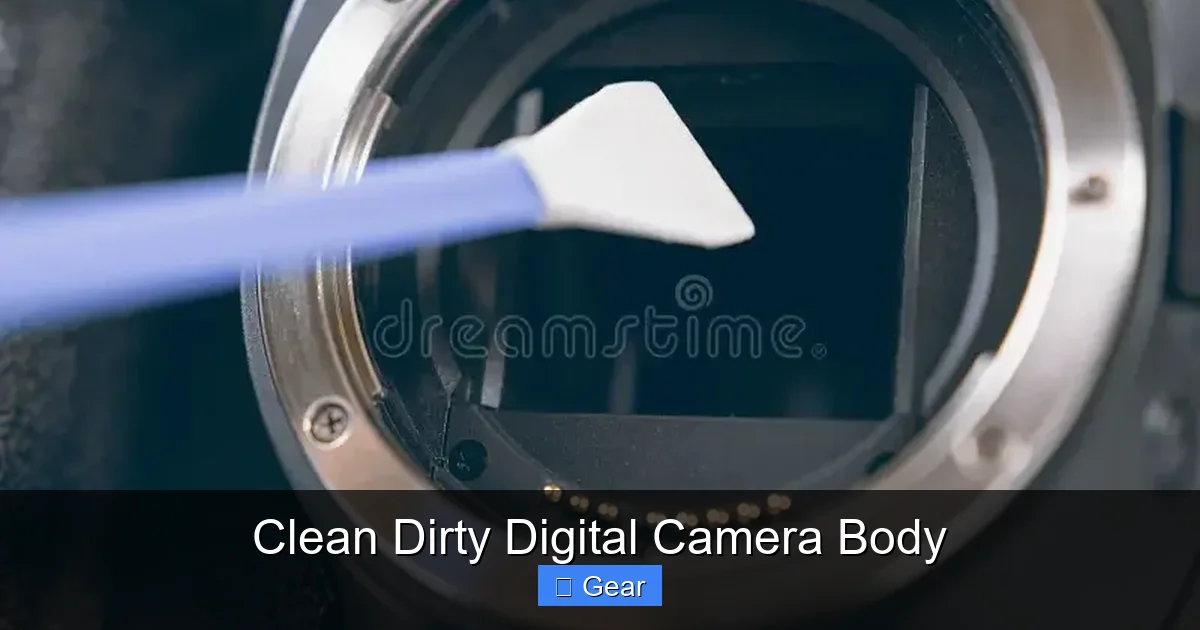
Visual guide about Clean Dirty Digital Camera Body
Image source: thumbs.dreamstime.com
Step 2: Blow Away Loose Debris
Start with your air blower. Hold the camera upside down or at an angle, and use strong bursts of air to dislodge any loose dust, sand, or crumbs from the entire body, paying special attention to the seams, around buttons, dials, and the hot shoe. Do not touch the nozzle to the camera surface. The goal here is to remove anything that could scratch the camera if wiped. This is the crucial first step to clean dirty digital camera body surfaces.
Step 3: Gentle Wiping of the Exterior
Take a clean, dry microfiber cloth and gently wipe down all smooth surfaces of the camera body. Use a light touch, working in small circular motions. For textured grips, you might need a bit more pressure, but still be gentle. If you encounter stubborn smudges or fingerprints, try breathing lightly onto the surface to create a bit of condensation, then wipe.
Step 4: Tackling Stubborn Grime and Oily Smudges
For oily fingerprints, particularly on the LCD screen or around the viewfinder, dampen a corner of your microfiber cloth with a single drop of lens cleaning solution (applied to the cloth, *never* directly to the camera). Gently wipe the affected area, then immediately follow up with a dry part of the cloth to buff away any streaks. Remember, a little goes a long way.
Step 5: Detail Cleaning: Buttons, Dials, and Crevices
This is where cotton swabs and a soft brush come in handy.
- Buttons and Dials: Use a dry cotton swab to clean around the edges of buttons and dials. You can also use a soft brush to sweep away dust that has accumulated here. If grime is stuck, very lightly dampen a swab with cleaning solution or 99% isopropyl alcohol and carefully clean the area, ensuring no liquid seeps into the camera.
- Seams and Panel Gaps: Use the soft brush or a dry toothpick to carefully dislodge dirt from any seams or gaps in the camera body. Work gently to avoid scratching the plastic or rubber.
Specific Areas: Hot Shoe, Ports, Buttons, and LCD
Certain areas on your camera body require extra attention due to their functionality and vulnerability. To effectively clean dirty digital camera body components, you must address these key points.
The Hot Shoe
The hot shoe, used for external flashes and accessories, is an open invitation for dust and corrosion.
- Dust: Use the air blower first, then a dry cotton swab to clean the contacts.
- Corrosion/Oxidation: If you see any green or white residue, gently rub the metal contacts with a cotton swab very lightly dampened with 99% isopropyl alcohol. This helps to clean and restore conductivity. Let it completely dry before re-inserting the battery.
Tip: Always keep a hot shoe cover on when not in use to protect these delicate contacts.
Ports and Port Covers
USB, HDMI, microphone, and headphone ports are crucial connections.
- Exterior: Clean the rubber or plastic port covers with your microfiber cloth.
- Interior: If you suspect dust inside an open port, use the air blower. Avoid sticking anything metal or sharp inside. If a port is visibly dirty, a dry cotton swab can be carefully used, but be extremely gentle to avoid bending pins.
Tip: Always keep port covers securely closed when not in use to prevent dust and moisture ingress.
Buttons and Dials
As mentioned, these are prime targets for grime. Use cotton swabs and a soft brush. For extremely sticky buttons, a very light application of lens cleaning solution or isopropyl alcohol on a swab might be needed, but be cautious not to let liquid seep inside. Work slowly and methodically around each button and dial.
LCD Screen and Viewfinder
The LCD screen often collects fingerprints and smudges.
- LCD: Use a clean, dry microfiber cloth. For stubborn smudges, use a very lightly dampened cloth with lens cleaning solution. Wipe gently.
- Viewfinder Eyepiece: This rubber eyepiece can get oily. Wipe it with a microfiber cloth. For the glass element within the viewfinder, use an air blower first, then a dry cotton swab or the edge of a clean microfiber cloth. Be extra gentle, as it’s a delicate optical surface.
Prevention is Key: Maintaining a Clean Camera Environment
The best way to clean dirty digital camera body components is to prevent them from getting excessively dirty in the first place! A little proactive care goes a long way.
Invest in Good Camera Bags and Straps
A well-padded, dust-resistant camera bag protects your gear during transport. Choose a bag that fits your camera snugly to minimize movement and dust infiltration. Carrying your camera with a good strap also keeps it off dirty surfaces.
Use Lens Caps and Body Caps
Always cap your lenses when not in use and put a body cap on your camera when no lens is attached. These simple accessories are incredibly effective at keeping dust and debris out of the sensitive lens mount and sensor area.
Avoid Harsh Environments (When Possible)
While we love shooting everywhere, be mindful of extremely dusty, sandy, or humid environments. If you must shoot in such conditions, use rain covers or protective skins to shield your camera. Always clean your gear immediately after returning from such shoots.
Regular Wiping and Inspection
Make it a habit to quickly wipe down your camera body with a dry microfiber cloth after each shoot. A quick visual inspection can catch minor issues before they become major problems. Addressing a clean dirty digital camera body proactively saves time and potential damage.
Storage Matters
When storing your camera for extended periods, ensure it’s in a dry, dust-free environment. Use desiccant packs in your camera bag or storage cabinet to control humidity and prevent mold growth. Store with lens and body caps attached.
Conclusion
Keeping your digital camera body clean is not just about aesthetics; it’s a fundamental aspect of responsible gear ownership. By investing a small amount of time and using the right tools, you can significantly extend the life of your camera, maintain its optimal performance, and safeguard your investment. Regular cleaning prevents frustrating operational issues, protects delicate internal components, and indirectly contributes to sharper, cleaner images.
So, the next time you finish a shoot, take a few extra minutes to inspect your gear. Grab your air blower, microfiber cloth, and cotton swabs, and give your camera the attention it deserves. A clean dirty digital camera body isn’t just a pleasure to hold; it’s a reliable tool that will continue to help you capture stunning photographs for many adventures to come. Embrace the routine, and your camera will thank you for it!
🎥 Related Video: How to clean a dirty camera body 🧽📷 #camera #cameragear #photographer
📺 Tobias Steinert
In this video I show you how to clean a very dirty camera body and make it look like a new one.
Frequently Asked Questions
What’s the difference between cleaning the camera body and cleaning the sensor?
Cleaning the camera body involves removing dust and grime from the exterior, buttons, ports, and hot shoe. Sensor cleaning, on the other hand, is a much more delicate process of removing dust directly from the camera’s image sensor, typically requiring specialized swabs and fluids. This guide focuses solely on the body to avoid confusion and potential damage to the sensor.
Can dust on the camera body affect my photos?
While dust on the camera body doesn’t directly show up in your photos, it poses a significant risk. Dust from the body can easily migrate to your lens when changing optics, and from there, make its way onto the sensor. Once on the sensor, dust particles will appear as dark spots or smudges on your images, requiring post-processing removal.
My camera has weather sealing. Does it still need cleaning?
Yes, absolutely. Weather sealing provides resistance against dust and moisture, but it doesn’t make your camera impervious. Dirt, sand, and grime can still accumulate on the exterior, around buttons, and in the hot shoe. Over time, heavy buildup can even compromise the weather seals themselves, making regular cleaning even more crucial.
How do I clean the battery compartment contacts?
First, ensure the battery is removed. Use a dry cotton swab to gently wipe away any visible dust or debris. If you notice any corrosion (greenish or whitish buildup), you can very lightly dampen a cotton swab with 99% isopropyl alcohol and carefully clean the metal contacts. Allow it to fully dry before reinserting the battery.
What should I do if a button feels sticky after cleaning?
If a button remains sticky after dry cleaning, it might have stubborn grime or a sugary residue. Try using a cotton swab very lightly dampened with a specialized lens cleaning solution or a tiny bit of 99% isopropyl alcohol. Work it gently around the button, being careful not to let any liquid seep inside. If it persists, professional service might be required.
Are lens cleaning pens suitable for camera bodies?
Lens cleaning pens often have a brush on one end and a carbon-based cleaning tip on the other. The brush can be useful for gently sweeping dust from body crevices. However, the carbon cleaning tip is specifically designed for glass elements and should not be used on plastic camera body parts or LCD screens, as it could leave marks or remove coatings.
