


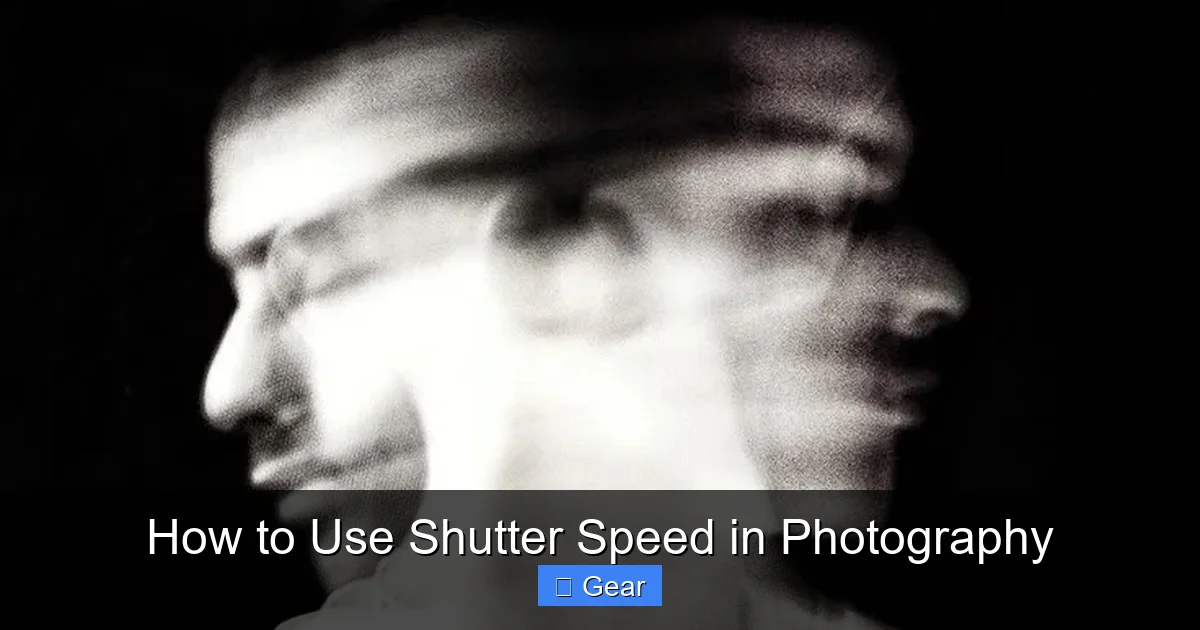
Shutter speed is a fundamental camera setting that dictates how long your camera’s sensor is exposed to light, directly influencing both the brightness and the depiction of motion in your photographs. Learning to effectively master how to use shutter speed in photography empowers you to either freeze fleeting moments with super-fast speeds or introduce beautiful, artistic motion blur with slower settings, unlocking a vast realm of creative possibilities.
Have you ever looked at a photograph and marveled at how perfectly a split-second action was frozen in time? Or perhaps you’ve seen those dreamy images where waterfalls turn into silky smooth curtains of white, or car headlights paint streaks of light across a night scene? What’s the secret behind these captivating effects? More often than not, it’s a deep understanding of how to use shutter speed in photography.
Shutter speed is one of the three pillars of photographic exposure, alongside aperture and ISO. While aperture controls depth of field and ISO manages your sensor’s sensitivity to light, shutter speed is your direct control over time itself within your camera. It’s the magic button that lets you decide if a fleeting moment is captured with crystal clarity or transformed into an artistic blur that conveys movement and emotion. Mastering this single setting can dramatically elevate your photography, allowing you to move beyond simple snapshots and create truly impactful images.
This comprehensive guide is designed to demystify shutter speed, breaking down what it is, how it works, and most importantly, how to use shutter speed in photography to achieve your desired creative vision. Whether you’re a beginner just starting your journey or an experienced enthusiast looking to refine your skills, get ready to unlock the full potential of your camera’s ability to control time.
Key Takeaways
- Shutter Speed Controls Light & Motion: Shutter speed determines the duration your camera’s sensor is exposed to light, directly impacting your image’s brightness and how movement is captured.
- Fast Shutter Speeds Freeze Action: Use fast shutter speeds (e.g., 1/500s or faster) to stop motion dead in its tracks, perfect for sports, wildlife, or capturing sharp, clear subjects.
- Slow Shutter Speeds Create Motion Blur: Employ slow shutter speeds (e.g., 1/30s or slower, including Bulb mode) to intentionally blur moving subjects, adding a sense of movement, drama, or smoothness to elements like water or light trails.
- The Exposure Triangle is Key: Shutter speed works in harmony with aperture and ISO. Adjusting one often requires adjusting the others to maintain correct exposure. For instance, a faster shutter speed might require a wider aperture or higher ISO.
- Gear Matters for Slow Speeds: A tripod is essential for shutter speeds slower than 1/60s to prevent camera shake. Neutral Density (ND) filters are vital for long exposures in bright conditions, reducing light without altering color.
- Shutter Priority (Tv/S) Mode is Your Friend: This camera mode allows you to set the shutter speed you want, and the camera automatically selects the appropriate aperture for correct exposure, making it easy to focus on motion control.
- Experiment and Practice: Understanding how to use shutter speed in photography is best learned through hands-on practice. Don’t be afraid to experiment with different speeds in various scenarios to see their effects.
Quick Answers to Common Questions
What is shutter speed in photography?
Shutter speed is the length of time your camera’s shutter remains open, allowing light to hit the image sensor. It controls both the brightness of your photo and how motion is captured.
What is considered a fast shutter speed?
A fast shutter speed is typically 1/250th of a second or faster (e.g., 1/500s, 1/1000s, 1/2000s). These speeds are used to freeze action and minimize camera shake.
What is considered a slow shutter speed?
A slow shutter speed is usually 1/30th of a second or slower (e.g., 1/15s, 1s, 5s, 30s, or even Bulb mode). These speeds are used to create motion blur or for low-light photography.
How does shutter speed affect the brightness of a photo?
The longer the shutter stays open (slower shutter speed), the more light reaches the sensor, resulting in a brighter photo. Conversely, a shorter duration (faster shutter speed) lets in less light, making the photo darker.
What is Shutter Priority mode (Tv/S)?
Shutter Priority mode is a semi-automatic camera setting where you manually select the desired shutter speed, and the camera automatically chooses the appropriate aperture to achieve a correct exposure.
📑 Table of Contents
What is Shutter Speed, Anyway?
At its most basic, shutter speed refers to the duration that your camera’s shutter remains open, allowing light to hit the image sensor. Think of it like blinking: the longer your eyes are open, the more you see. Similarly, the longer your camera’s shutter is open, the more light reaches the sensor, and the brighter your resulting image will be.
The Basics of Exposure
Shutter speed is measured in seconds or fractions of a second. You’ll typically see numbers like 1/1000s, 1/250s, 1/60s, 1/2s, 1s, or even 30s. A ‘fast’ shutter speed means the shutter opens and closes very quickly (e.g., 1/1000th of a second), letting in very little light. A ‘slow’ shutter speed means the shutter stays open for a longer duration (e.g., 1 second or more), allowing a lot more light to enter.
Beyond just affecting brightness, shutter speed has a profound impact on how motion is rendered in your photograph. This dual control over both light and movement is precisely why understanding how to use shutter speed in photography is so crucial for any aspiring photographer. A fast shutter speed can freeze a flying bird mid-air, while a slow shutter speed can turn that same bird into a graceful streak as it moves through the frame.
Freezing the Moment: Fast Shutter Speeds
When you want to capture every intricate detail of a fast-moving subject, a fast shutter speed is your best friend. This technique is all about stopping time, rendering a crisp, sharp image of something that’s in motion.
When to Use Fast Shutter Speeds
* **Sports Photography:** Imagine capturing the precise moment a soccer player kicks the ball, or a runner crossing the finish line. Speeds like 1/1000s, 1/2000s, or even faster are common here.
* **Wildlife Photography:** Freezing a bird in flight, a deer leaping, or an insect hovering requires extremely fast shutter speeds, often 1/500s to 1/4000s, depending on the speed of the animal.
* **Children and Pets:** Kids and pets are notoriously difficult to photograph because they rarely stay still. Speeds of 1/250s or 1/500s can help you get sharp shots of their playful antics.
* **Splashing Water or Droplets:** Capturing the intricate patterns of a water splash or a falling droplet requires speeds upwards of 1/1000s or faster.
* **Handheld Shooting in General:** Even for stationary subjects, a good rule of thumb to avoid camera shake when shooting handheld is to use a shutter speed equal to or faster than 1 divided by your focal length (e.g., for a 50mm lens, use 1/50s or faster; for a 200mm lens, use 1/200s or faster). This is a helpful guideline when learning how to use shutter speed in photography without a tripod.
Practical Tips for Fast Shutter Speeds
Using a fast shutter speed means less light reaches your sensor. To compensate for this and ensure your image isn’t too dark, you’ll often need to:
* **Shoot in Bright Light:** Abundant natural light is ideal for fast shutter speeds.
* **Use a Wider Aperture (Smaller f-number):** A wider aperture (e.g., f/2.8, f/4) lets in more light, allowing you to maintain a fast shutter speed.
* **Increase ISO:** If light is limited and you can’t open your aperture further, raising your ISO sensitivity will brighten your image, though it can introduce digital noise. Find a balance that works for your situation.
Embracing Movement: Slow Shutter Speeds
While fast shutter speeds freeze motion, slow shutter speeds do the exact opposite – they embrace and exaggerate it, transforming movement into artistic blur. This technique is about showing the passage of time within a single frame.
The Art of Motion Blur
* **Silky Waterfalls and Rivers:** One of the most popular uses for slow shutter speeds. Exposures ranging from 1/2s to several seconds can turn choppy water into a smooth, ethereal mist.
* **Light Trails:** Photographing moving vehicles at night with shutter speeds of 5 seconds to 30 seconds (or even longer) creates beautiful streaks of light from their head and tail lights.
* **Star Trails:** Pointing your camera at the night sky for many minutes, or even hours, can capture the apparent movement of stars across the sky as long, luminous arcs.
* **Panned Subjects:** By moving your camera in sync with a moving subject (like a cyclist or car) while using a relatively slow shutter speed (e.g., 1/30s to 1/60s), you can create a sharp subject against a beautifully blurred background, conveying speed.
* **Creative Blurring:** Sometimes, you might intentionally blur elements like clouds or people in a bustling street scene to emphasize a stationary subject or create a minimalist effect.
Essential Gear for Slow Shutter Speeds
When you’re dealing with exposures longer than about 1/60s, even the slightest camera movement can result in a blurry image – this is called camera shake. To combat this and truly master how to use shutter speed in photography for slow exposures, you’ll need:
* **Tripod:** Absolutely essential. A sturdy tripod keeps your camera perfectly still during long exposures.
* **Remote Shutter Release (or Self-Timer):** Pressing the shutter button manually can introduce shake. A remote release (wired or wireless) or your camera’s 2-second self-timer eliminates this.
* **Neutral Density (ND) Filters:** These are like sunglasses for your camera lens. They reduce the amount of light entering the lens without affecting color, allowing you to use very slow shutter speeds even in bright daylight. ND filters come in different strengths (e.g., ND2, ND4, ND8, ND1000), with higher numbers allowing for longer exposures.
* **Image Stabilization (IS/VR/OS):** While helpful for slightly slower handheld speeds, image stabilization systems are generally not sufficient for very long exposures where a tripod is mandatory.
The Exposure Triangle: Shutter Speed’s Best Friends
Understanding how to use shutter speed in photography isn’t just about knowing its standalone effect; it’s about understanding its relationship with aperture and ISO – the three legs of the “Exposure Triangle.” All three work together to control the total amount of light that reaches your sensor and thus the brightness of your image.
Shutter Speed and Aperture
Aperture controls the size of the lens opening, much like the pupil of your eye. A wider aperture (smaller f-number like f/2.8) lets in more light, while a narrower aperture (larger f-number like f/16) lets in less.
* **The Trade-off:** If you want to use a fast shutter speed to freeze action (which lets in less light), you’ll often need to compensate by opening your aperture wider to let in more light and achieve a correct exposure.
* **Creative Impact:** A wider aperture also creates a shallower depth of field (blurry background), while a narrower aperture keeps more of the scene in focus. So, when choosing your shutter speed, consider how the corresponding aperture adjustment will affect your depth of field.
Shutter Speed and ISO
ISO determines your camera sensor’s sensitivity to light. A lower ISO (e.g., 100 or 200) means less sensitivity and produces cleaner images, while a higher ISO (e.g., 1600 or 3200) increases sensitivity, making the sensor “see” more light but potentially introducing digital noise (graininess).
* **The Balance:** If you need a fast shutter speed in low light and can’t open your aperture any wider, increasing your ISO is often the next step. This trade-off means accepting a potentially noisier image for the benefit of freezing action.
* **Maintaining Quality:** When using slow shutter speeds (and especially with a tripod), you’ll typically want to keep your ISO as low as possible (e.g., 100 or 200) to ensure the highest image quality and least noise.
Mastering how to use shutter speed in photography means finding the right balance between these three settings to achieve both the desired exposure and creative effect.
Mastering Shutter Speed: Practical Techniques & Creative Control
Now that you understand the mechanics, let’s explore how you can put this knowledge into practice using your camera’s settings.
Shutter Priority Mode (Tv/S)
Most cameras offer a “Shutter Priority” mode, often labeled ‘Tv’ (Time Value) on Canon cameras or ‘S’ (Shutter Priority) on Nikon and other brands. In this mode, you manually select your desired shutter speed, and the camera automatically calculates and sets the appropriate aperture to achieve a correct exposure. This is an excellent mode for learning how to use shutter speed in photography because it allows you to focus solely on controlling motion without worrying about all three exposure settings at once.
* **When to use it:** When your primary concern is freezing or blurring motion, and you’re less concerned about precise depth of field control. Examples include sports, wildlife, or water photography.
Manual Mode for Full Control
For complete creative freedom, “Manual” mode (M) allows you to set the shutter speed, aperture, and ISO all independently. This mode gives you total control over the exposure triangle, but it also requires a deeper understanding of how the three settings interact.
* **When to use it:** When you need precise control over every aspect of your exposure, such as in complex lighting conditions, long exposure photography, or studio shooting where you’re using external lights.
Panning Technique
Panning is a fantastic way to convey speed and movement. It involves tracking a moving subject with your camera, moving your body and camera smoothly along with it as you press the shutter button.
* **How to do it:** Set your camera to Shutter Priority mode and choose a relatively slow shutter speed, typically between 1/15s and 1/60s (start around 1/30s and adjust). As your subject approaches, follow its movement smoothly, press the shutter button, and continue tracking even after the shutter clicks. With practice, you’ll get a sharp subject against a beautifully blurred background.
Long Exposure Photography
This is where the magic of slow shutter speeds truly shines. Long exposure involves using shutter speeds of several seconds, minutes, or even hours.
* **Technique:** Mount your camera on a sturdy tripod. Use a remote shutter release or the 2-second self-timer. Select a low ISO (e.g., 100). Choose a narrow aperture (e.g., f/11, f/16, or f/22) to increase the depth of field and allow for longer exposure times. In bright conditions, you’ll almost certainly need an ND filter to extend your shutter speed sufficiently. For very long exposures beyond 30 seconds, your camera will have a “Bulb” mode, allowing you to keep the shutter open for as long as you hold down the shutter release (or for a pre-set time using a specialized remote).
Common Mistakes to Avoid & Troubleshooting
Even with a good understanding of how to use shutter speed in photography, you might encounter some common pitfalls.
The Blurry Image Blunder
* **Unwanted Motion Blur:** If your subject is blurry but you wanted it sharp, your shutter speed was too slow. Increase your shutter speed, open your aperture, or raise your ISO.
* **Camera Shake:** If the entire image (including stationary objects) is blurry, you likely experienced camera shake. Use a faster shutter speed (remember the 1/focal length rule), use a tripod, or activate your lens’s image stabilization.
Over or Underexposed Shots
* **Too Dark (Underexposed):** If your images are consistently too dark, your shutter speed might be too fast, or your aperture is too narrow, or ISO too low. Compensate by using a slower shutter speed, opening your aperture, or raising your ISO.
* **Too Bright (Overexposed):** If your images are too bright, your shutter speed might be too slow. Speed up your shutter, narrow your aperture, or lower your ISO. In very bright light for long exposures, you’ll need an ND filter.
Learning how to use shutter speed in photography effectively comes with practice and troubleshooting. Don’t be discouraged by mistakes; view them as learning opportunities!
Mastering shutter speed is a pivotal step in evolving as a photographer. It’s the key to controlling not just the brightness of your images, but also how you choose to interpret and present motion. Whether you aim to freeze a hummingbird’s wings in mid-flight, transform a bustling city street into a serene dreamscape, or paint with light trails at night, your shutter speed is the tool that makes it happen.
So, grab your camera, experiment with different settings, and don’t be afraid to push the boundaries of what’s possible. The more you practice, the more intuitive it will become to choose the perfect shutter speed for any photographic situation. Remember, photography is an art of light and time, and with a solid grasp of how to use shutter speed in photography, you’re well on your way to creating truly stunning and memorable images.
🎥 Related Video: ISO, Shutter Speed and Aperture Explained | Exposure Basics for Beginners
📺 B&H Photo Video Pro Audio
In this video, David Flores explores the “trinity” of photography fundamentals: ISO, aperture, and shutter speed. Learning to not …
Frequently Asked Questions
How do I know what shutter speed to use for a particular shot?
The ideal shutter speed depends on your subject’s movement and your creative intent. If you want to freeze fast action, opt for faster speeds (e.g., 1/500s+). If you want to show motion blur or are shooting in low light, choose slower speeds (e.g., 1/30s-30s+).
Can I use a fast shutter speed in low light conditions?
You can, but it’s challenging. A fast shutter speed lets in less light, so in low-light conditions, you’ll likely need to compensate by using a wider aperture (smaller f-number) and/or increasing your ISO. Be aware that higher ISO settings can introduce digital noise or graininess into your images.
What is the “180-degree rule” and how does it relate to still photography?
The 180-degree rule is primarily a videography guideline suggesting your shutter speed should be double your frame rate (e.g., 1/50s for 25fps) to achieve natural-looking motion blur. While not a strict rule in still photography, it provides a useful reference for achieving pleasing motion blur that feels natural rather than excessively streaky when trying to capture movement.
Do I always need a tripod for slow shutter speeds?
For shutter speeds slower than approximately 1/60th of a second, a tripod is highly recommended to prevent camera shake and ensure sharp images. While image stabilization can help slightly slower handheld speeds, for true long exposures (several seconds or more), a sturdy tripod is absolutely essential.
What’s the difference between motion blur and camera shake?
Motion blur is the intentional blurring of a moving subject, or elements within the scene, caused by using a slow shutter speed while the subject moves. Camera shake, on the other hand, is the unintentional blurring of the entire image, including stationary elements, caused by camera movement during the exposure, often due to holding the camera by hand at too slow a shutter speed.
How does image stabilization affect my choice of shutter speed?
Image stabilization (often found in lenses or camera bodies) helps reduce blur from camera shake at slower handheld shutter speeds. It can allow you to shoot 2-5 stops slower than without it (e.g., handheld at 1/30s instead of 1/250s). However, it does not prevent motion blur from a moving subject, nor is it a substitute for a tripod during very long exposures.
